
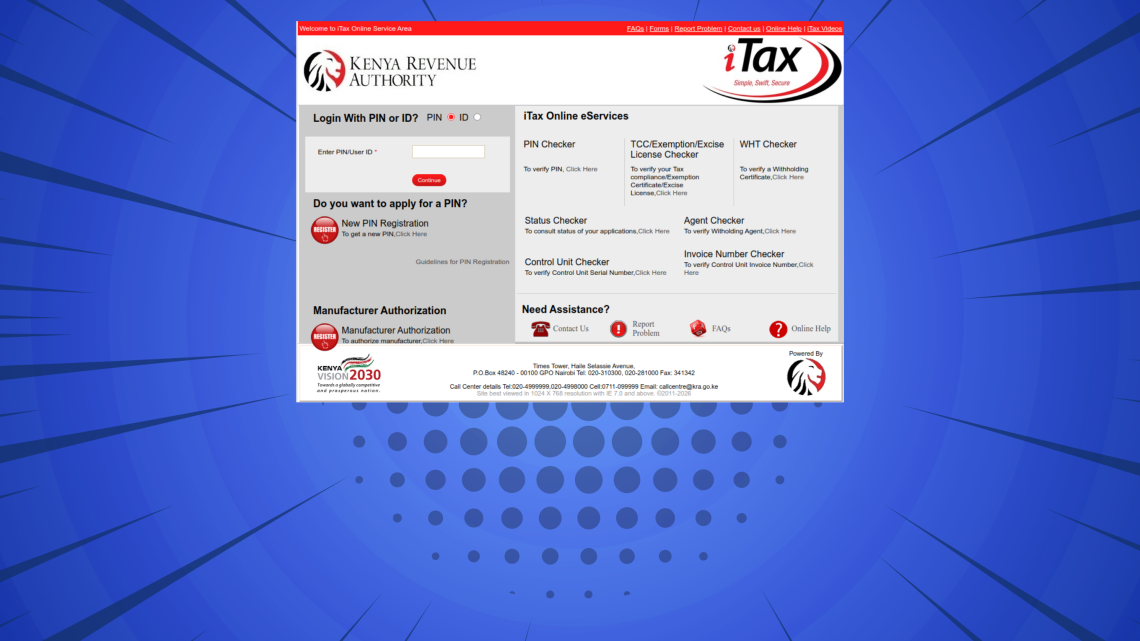
This step-by-step iTax Tutorial explains How To Retrieve KRA PIN Certificate, providing clear and detailed guidance through each stage of the process from start to finish to help you Retrieve KRA PIN Certificate in a few minutes.
READ ALSO: How To Download KRA Withholding Certificate
Requirements Needed To Retrieve KRA PIN Certificate
To be able to successfuly retrieve KRA PIN Certificate on iTax (KRA Portal), you need to have with you the following two main requirements:
- KRA PIN Number or ID Number
- iTax Password (KRA Password)
Once you have the above two requirements, you will be able to retrieve KRA PIN Certificate on iTax in a few minutes by following the steps outlined below.
How To Retrieve KRA PIN Certificate
To retrieve your KRA PIN Certificate on iTax (KRA Portal), follow the outlined 5 steps below and get a copy of your KRA PIN Cerrtificate online quickly and easily today.
Step 1: Visit iTax
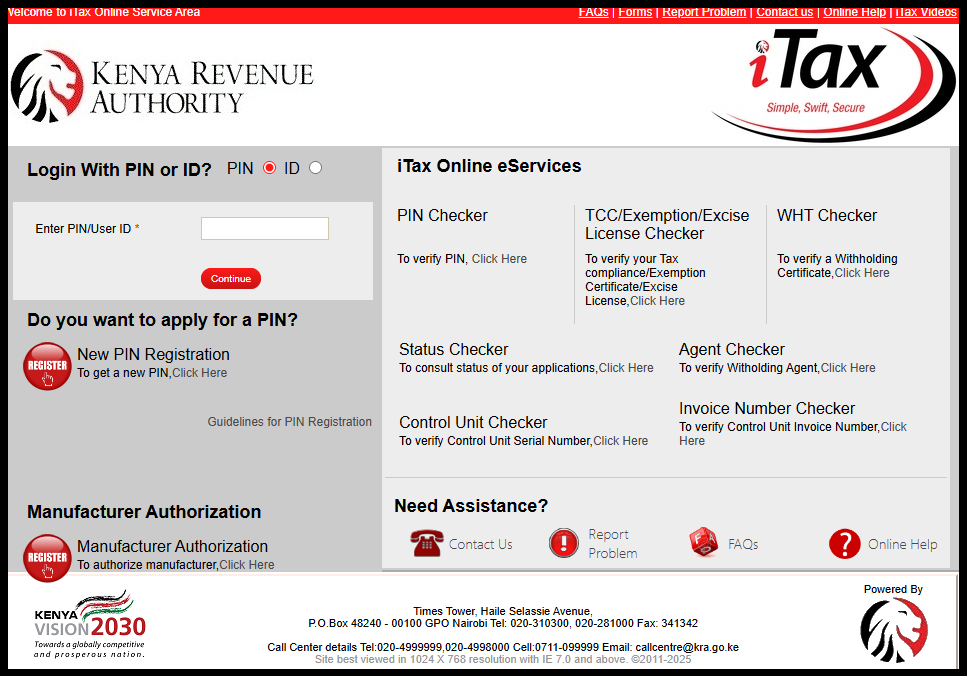
The first and foremost step in the process of How To Retrieve KRA PIN Certificate, is to visit iTax (KRA Portal) using the link – https://itax.kra.go.ke/KRA-Portal/
Step 2: Log in to iTax
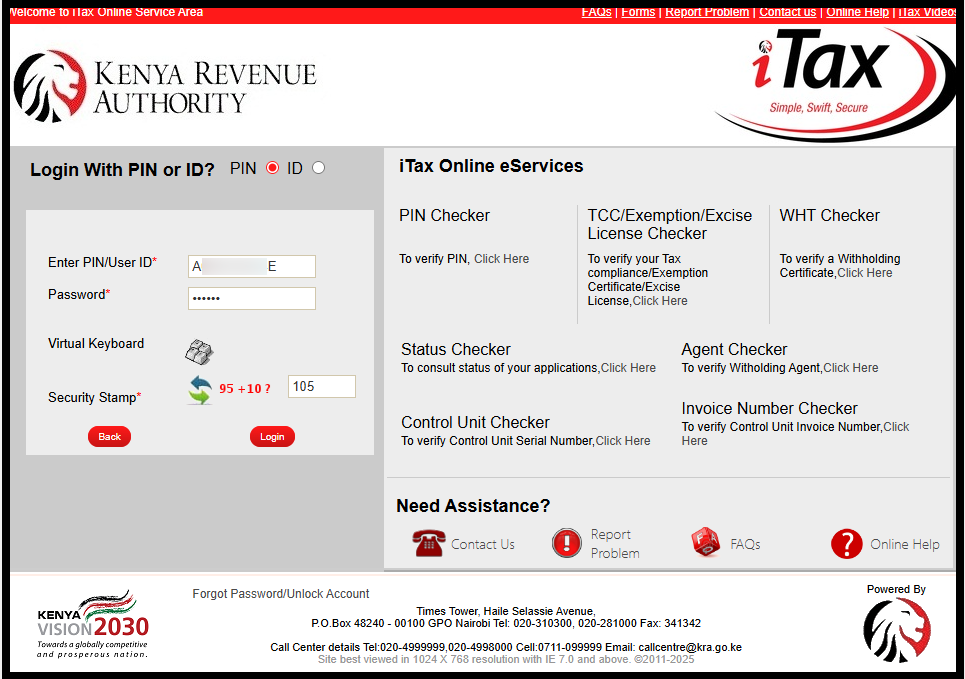
In this step, login to iTax using either your KRA PIN Number or National ID Number, along with your KRA Password (iTax Password). Follow this sequence; Enter KRA PIN Number or National ID Number, click on the “Continue” button, enter iTax Password (KRA Password), solve the arithmetic question (security stamp) and finally click on the “Login” button to access your iTax account dashboard.
Step 3: Click on Registration – Taxpayer Profile – Reprint PIN Certificate
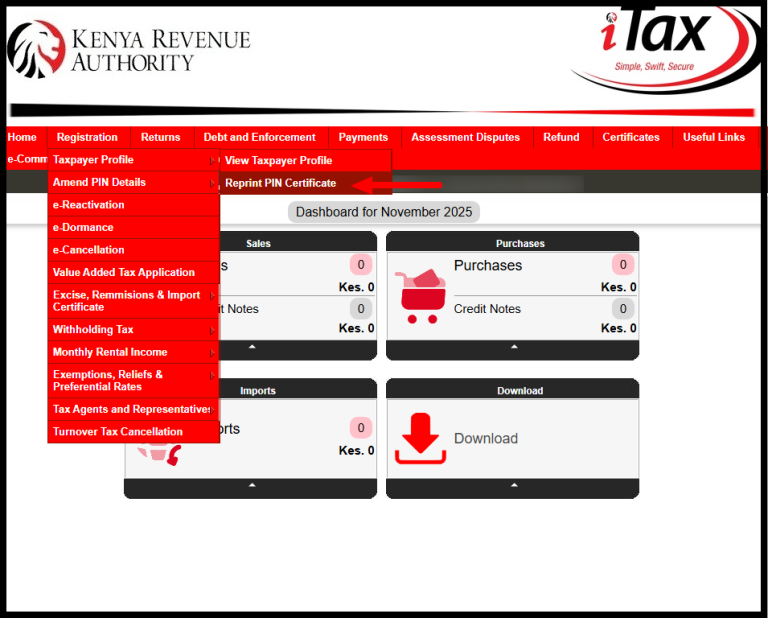
Once you are logged into iTax (KRA Portal) successfully, go to the top menu and click “Registration.” From the drop-down list, select “Taxpayer Profile” then proceed and click on “Reprint PIN Certificate.”
Step 4: Select Applicant Type as Taxpayer
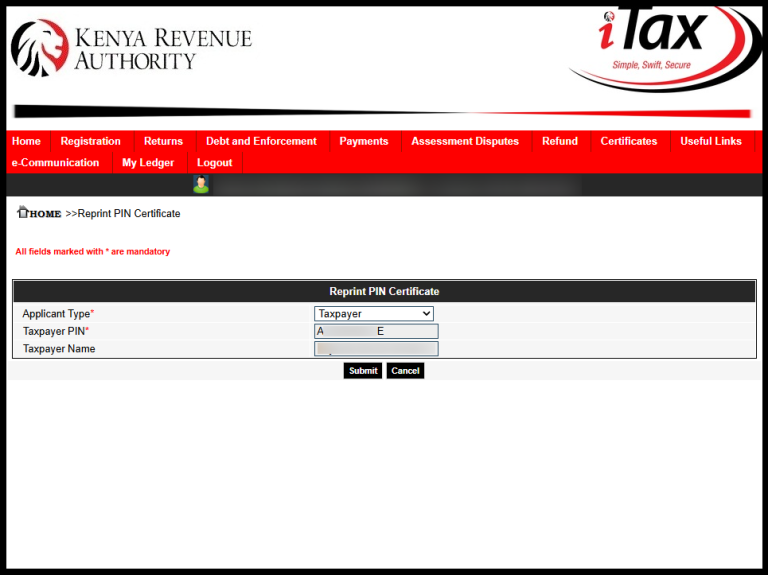
Next, you need to select the applicant type i.e. either “Agent” or “Taxpayer.” Since you are downloading your KRA PIN Certificate as a taxpayer, choose “Taxpayer” as the applicant type. Once selected, click the “Submit” button to proceed.
Step 5: Download KRA PIN Certificate
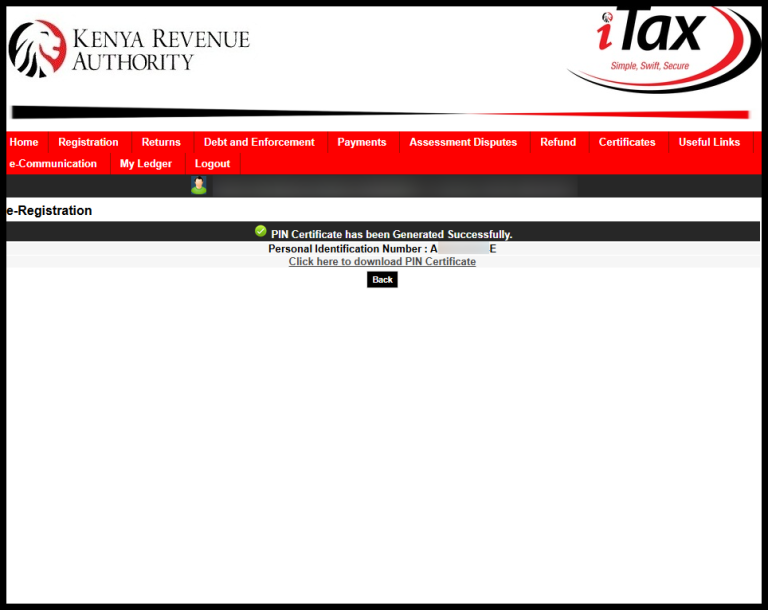
The last step in the process of retrieving KRA PIN Certificate on iTax (KRA Portal) is to download the generated KRA PIN Certificate.
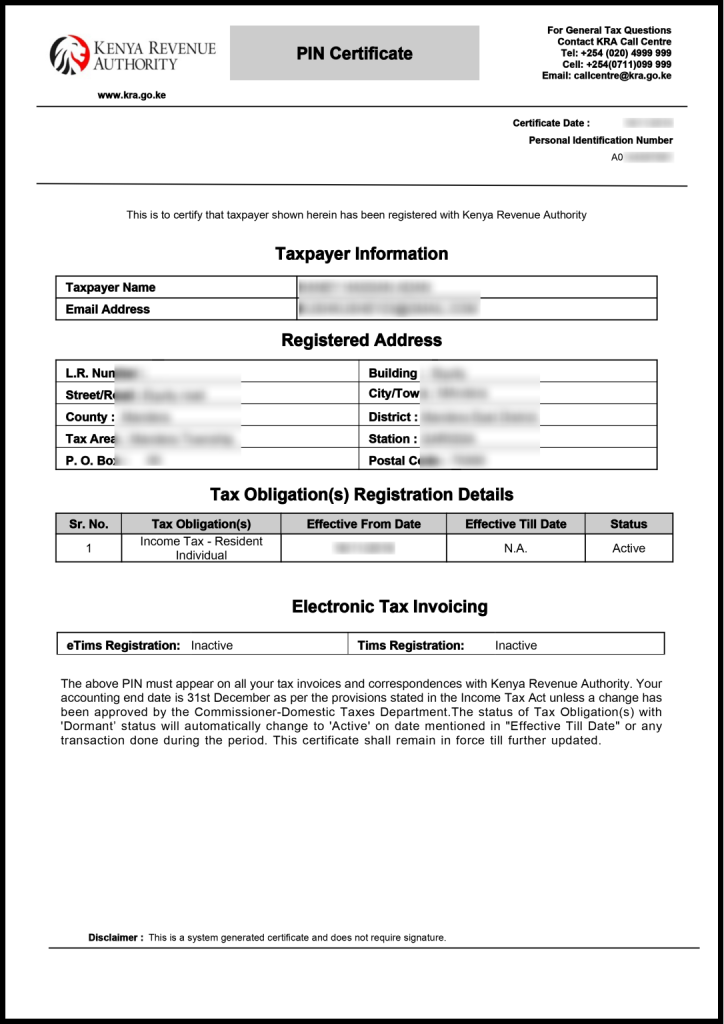
Once your KRA PIN Certificate has been successfully generated, you will see a notification – “Click here to download KRA PIN Certificate.”
READ ALSO: How To Download KRA Returns Receipt
The above steps sums up the whole process of How To Retrieve KRA PIN Certificate online using iTax (KRA Portal). To retrieve KRA PIN Cerrtificate, you need to ensure that you are able to log in to iTax using either your KRA PIN Number or National ID Number and iTax Password (KRA Password).

Tutorials Kenya is an independent Educational and Informational website that provides Latest Step-by-Step iTax Tutorials for Taxpayers in Kenya. You can contact us via Email Address: [email protected] or Chat on WhatsApp: 0723 737 740.
KRA Returns Filing

Trending Tutorials

KRA Returns Filing

