
This step-by-step iTax Tutorial explains How To Get KRA PIN Certificate via Email, providing clear and detailed guidance through each stage of the process from start to finish to help you get KRA PIN Certificate via Email in a few minutes.
READ: Step-by-Step KRA Tutorials
Requirements Needed To Get KRA PIN Certificate via Email
To be able to successfuly get KRA PIN Certificate via Email, you need to have with you the following two main requirements:
- KRA PIN Number or ID Number
- iTax Password (KRA Password)
Once you have the above two requirements, you will be able to get KRA PIN Certificate via Email in a few minutes by following the steps outlined below.
How To Get KRA PIN Certificate via Email
Below are the main steps that you need to follow so as to get your KRA PIN Certificate via Email.
Step 1: Visit iTax
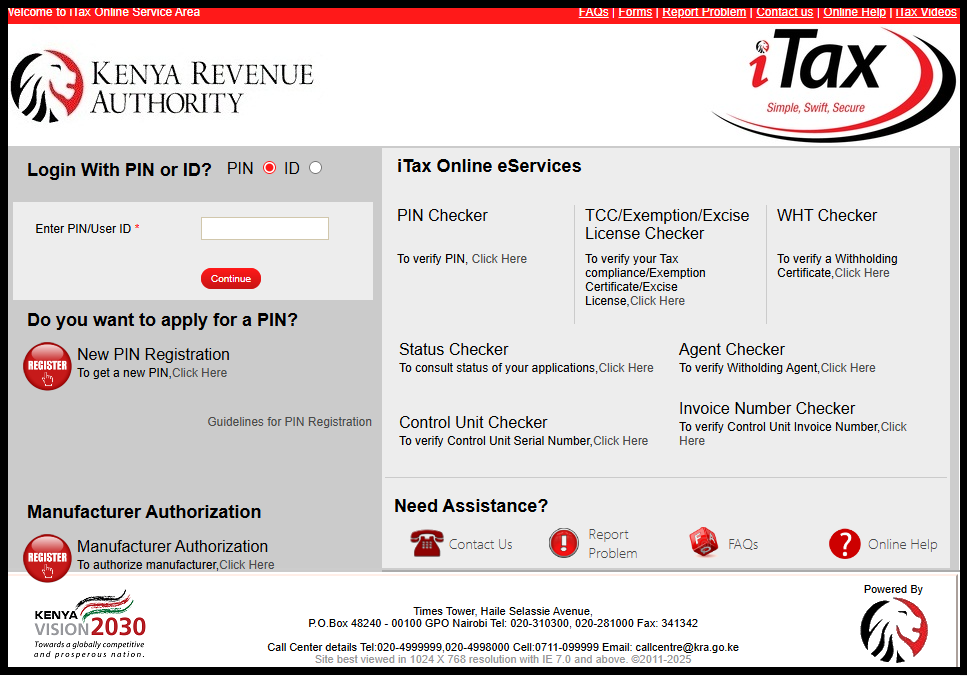
To download your KRA PIN Certificate online, begin by visiting iTax at https://itax.kra.go.ke/KRA-Portal/.
Step 2: Log in to iTax
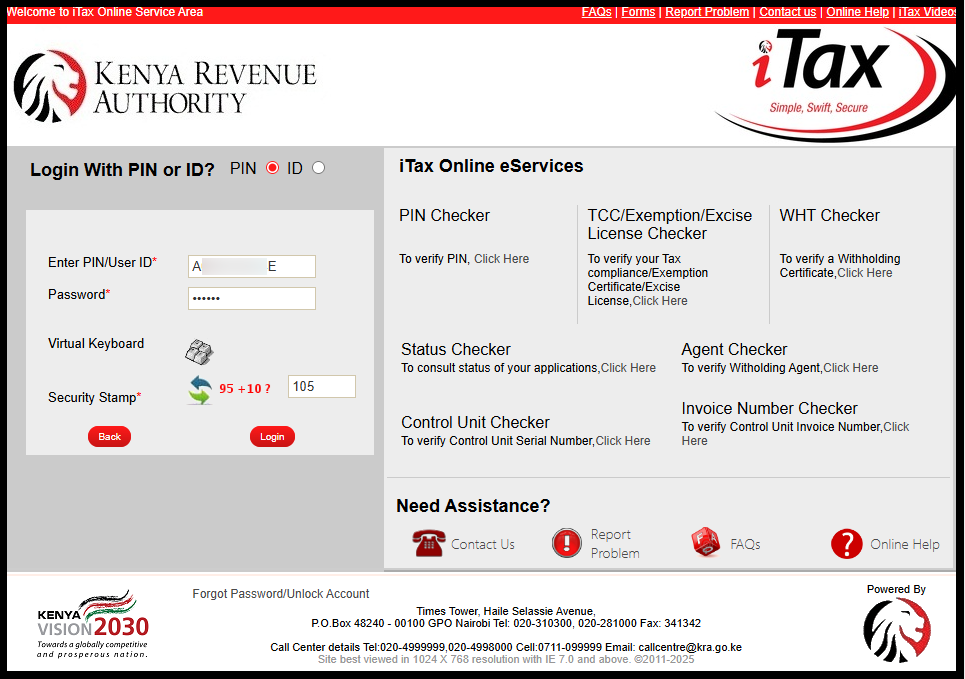
Next, log in to the iTax portal using either your KRA PIN Number or your National ID Number along with your iTax Password (KRA Password). After entering your credentials, complete the security verification by solving the arithmetic question, then click the “Login” button to access your iTax (KRA Portal) account.
Step 3: Click on Registration ➜ Taxpayer Profile ➜ Reprint PIN Certificate
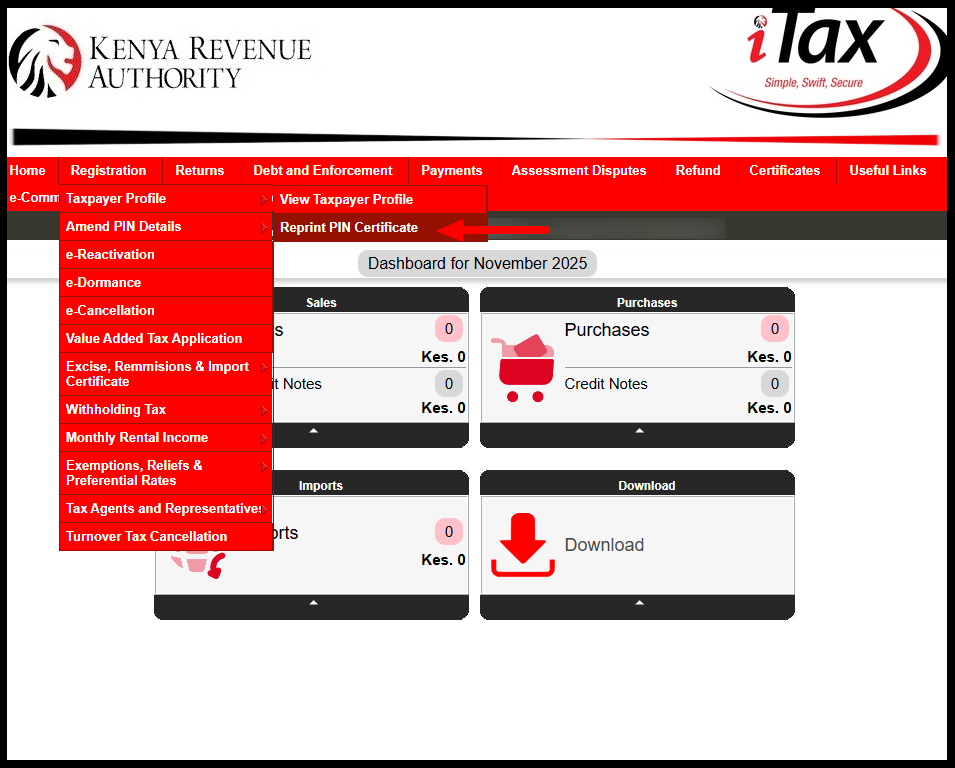
Once you have successfully logged into the iTax (KRA Portal), navigate to the top menu and click on “Registration.” From the drop-down list, select “Taxpayer Profile” and then click on “Reprint PIN Certificate” to proceed.
Step 4: Select Applicant Type as Taxpayer
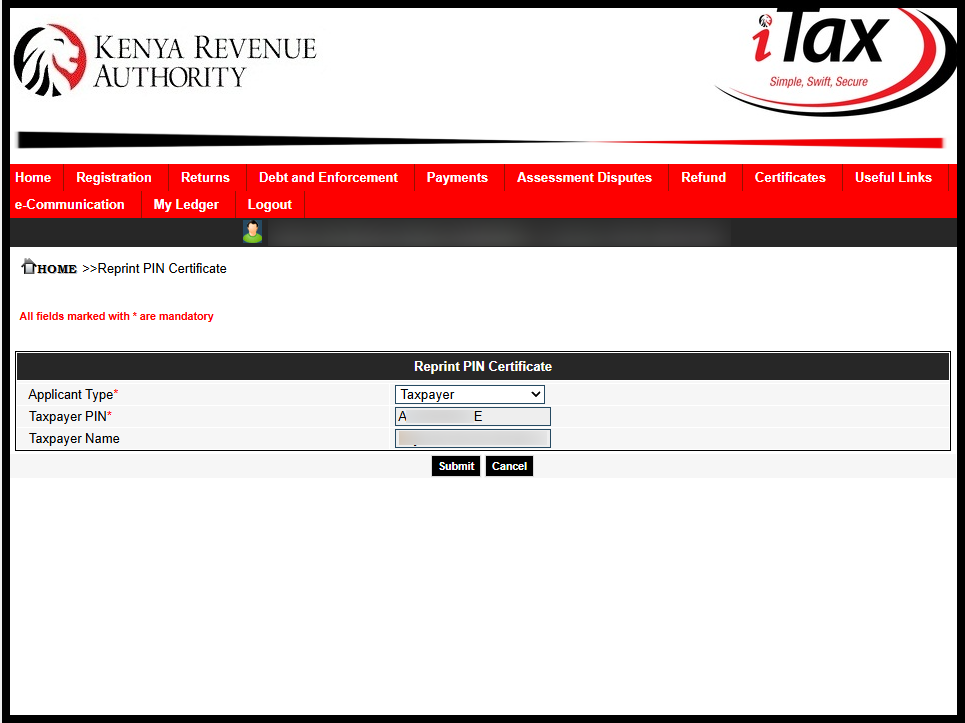
Next, select the applicant type – either Taxpayer or Agent. Since you are downloading your KRA PIN Certificate as a taxpayer, choose “Taxpayer” and then click the “Submit” button to continue.
Step 5: Download KRA PIN Certificate
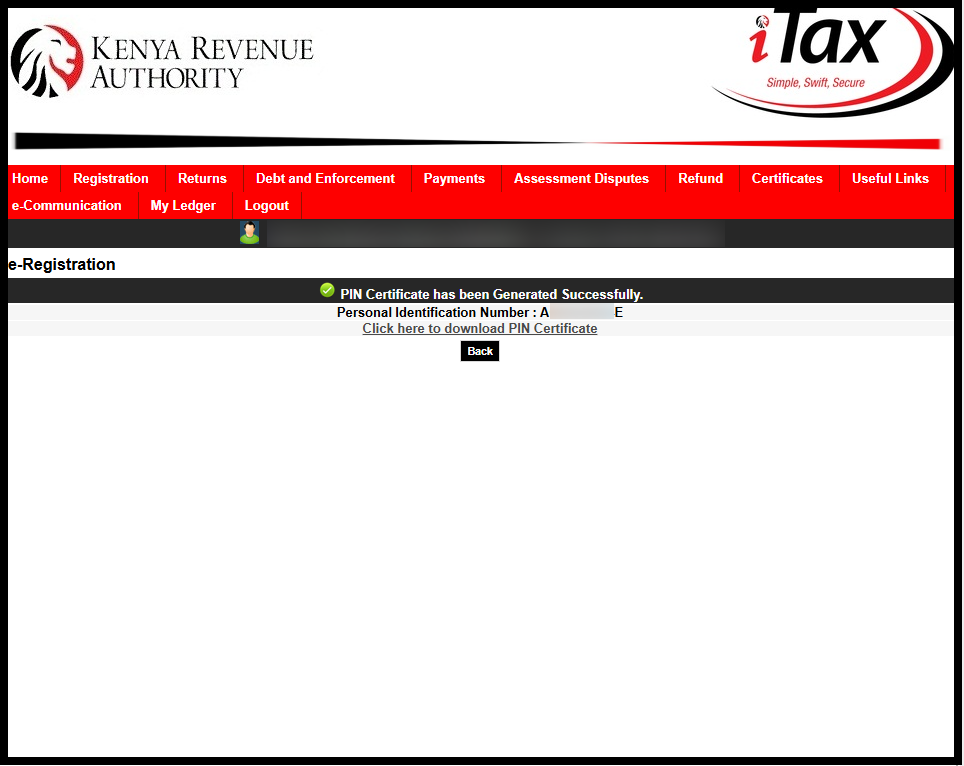
You will receive a notification confirming that your KRA PIN Certificate has been successfully generated. To download it, simply click on the link labeled “Click here to Download KRA PIN Certificate.”
Step 6: Check Your Email for KRA PIN Certificate
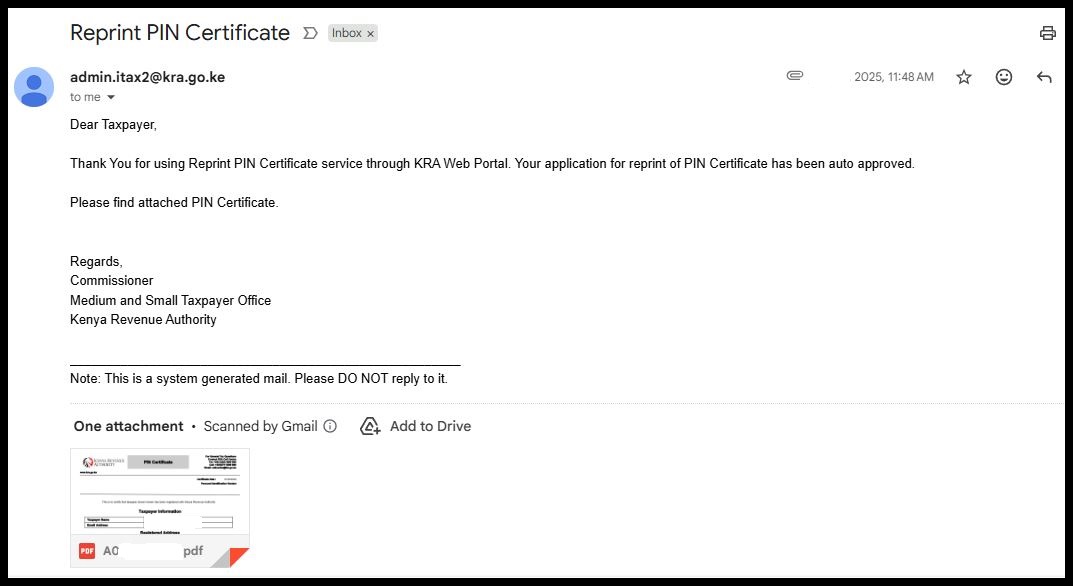
Finally, you can also check your email, as a copy of your KRA PIN Certificate has been sent there for easy access and future use.
READ: Step-by-Step KRA Tutorials
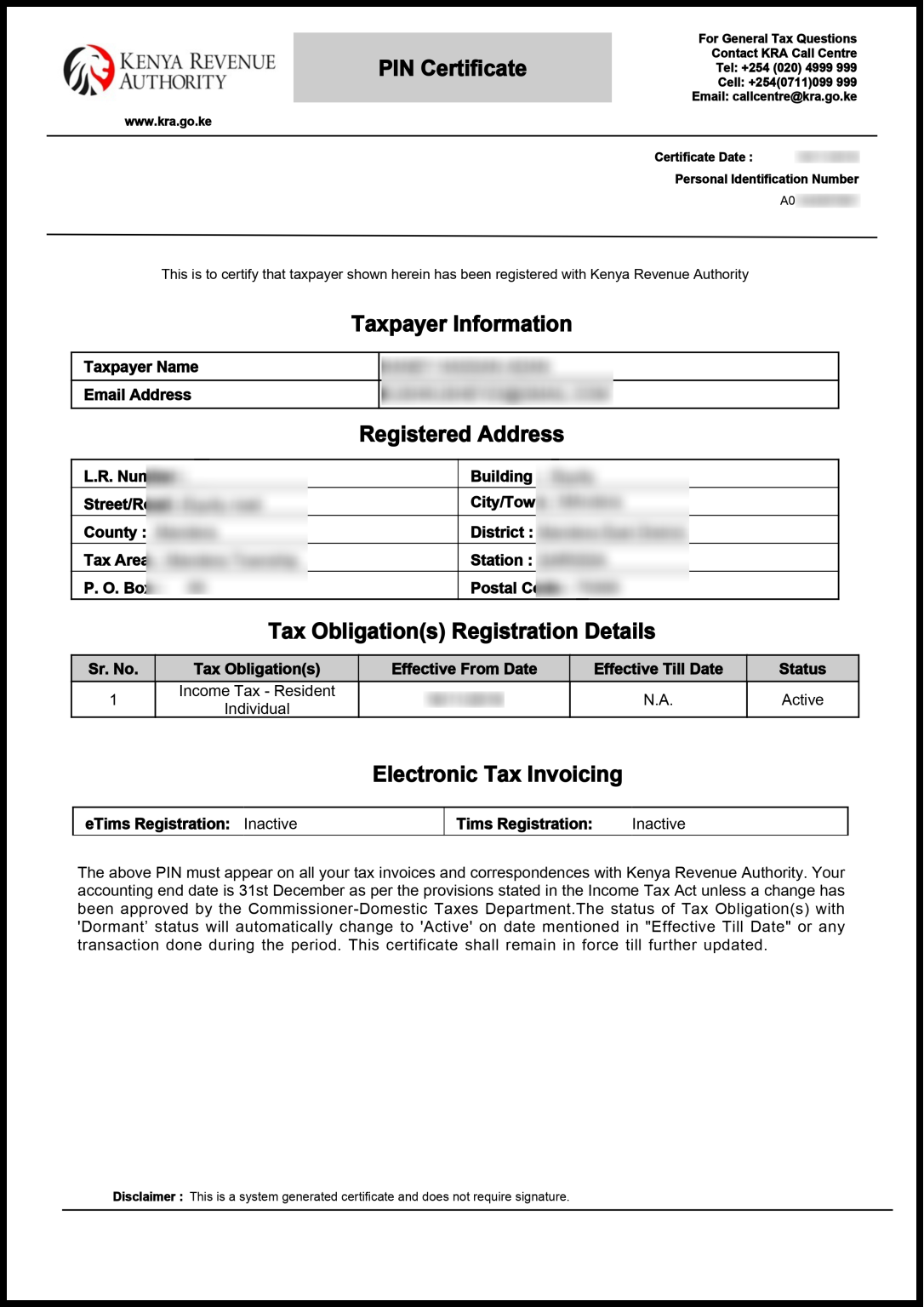
Finally, downloading your KRA PIN certificate is simple and immediate. Having a digital copy ensures that your certificate is readily available whenever needed for official purposes, eliminating the need for repeated visits to the KRA offices and providing a convenient, reliable solution for managing your tax documentation.
Summary: Getting KRA PIN Certificate via Email
Getting your KRA PIN Certificate via email is a simple process that allows you to access an official copy of your certificate after generating it on the iTax portal. To begin, visit the iTax portal and log in using your KRA PIN or National ID together with your iTax password. After completing the security verification, you will access your account dashboard where certificate services are available.
Tutorial: KRA PIN Number
Once logged in, navigate to Registration, then select Taxpayer Profile, and click on Reprint PIN Certificate. Choose Taxpayer as the applicant type and submit the request. The system will generate your KRA PIN Certificate and provide a download option, allowing you to save a copy to your device immediately.
Tutorial: KRA PIN Certificate
In addition, the system may send a copy of the generated KRA PIN Certificate to your registered email address for easy access and future reference. You can open your email inbox, download the attachment, and store it securely. This confirms that your KRA PIN Certificate has been successfully retrieved both on iTax and via email.