Disclaimer
This tutorial on How To Verify Mobile Number on iTax is an independent step-by-step guide by Tutorials Kenya. We are not affiliated with or endorsed by Kenya Revenue Authority (KRA) or any government agency in Kenya. This step-by-step tutorial is for informational and educational purposes only.
Mobile number verification on iTax is the process of confirming and authenticating the phone number registered on a taxpayer’s iTax account with the Kenya Revenue Authority (KRA). This verification is done through a One-Time Password (OTP) sent via SMS to the registered mobile number. Once the OTP is correctly entered on the iTax, the system confirms that the mobile number belongs to the taxpayer and is active. This helps KRA maintain accurate taxpayer contact details and enhances the security of iTax.
READ ALSO: How To Check KRA PIN using KRA PIN Checker
A verified mobile number is mandatory to fully access and use iTax functionalities. Critical actions such as logging in, filing returns, updating taxpayer details, applying for services and receiving system notifications all rely on OTPs sent to the registered phone number. Without mobile number verification, access to these services may be restricted, making it essential for taxpayers to verify their mobile number to ensure uninterrupted use of the iTax portal.
Submit Service Request
Waiting Duration: 5 minutes
You will receive your:
- KRA PIN Number
- KRA PIN Certificate
Via: Email Address and WhatsApp
How To Verify Mobile Number on iTax
To successfully verify mobile number on iTax, you need to carefully follow the step-by-step instructions outlined below to ensure the process is completed correctly.
-
Step 1: Visit iTax
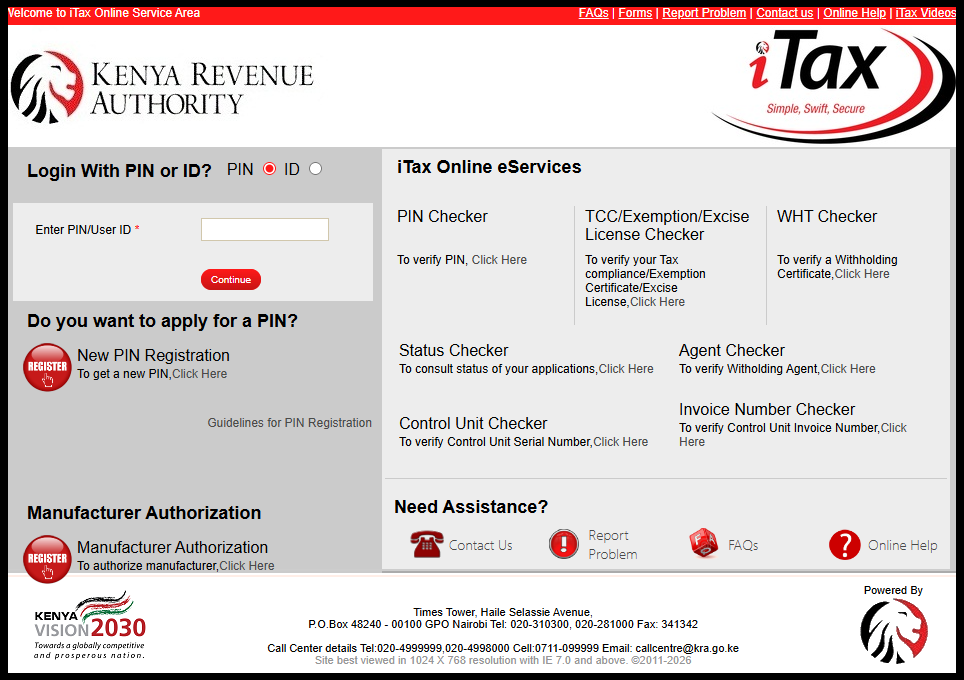
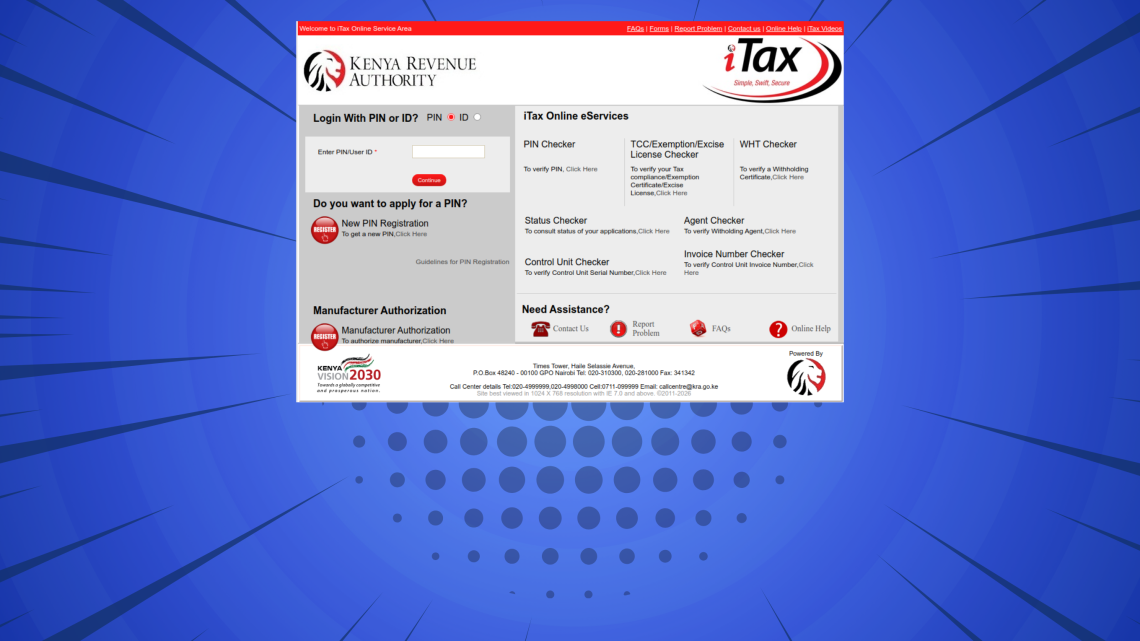
The first step in the process of How To Verify Mobile Number on iTax is to visit – https://itax.kra.go.ke/KRA-Portal/
-
Step 2: Log in to iTax
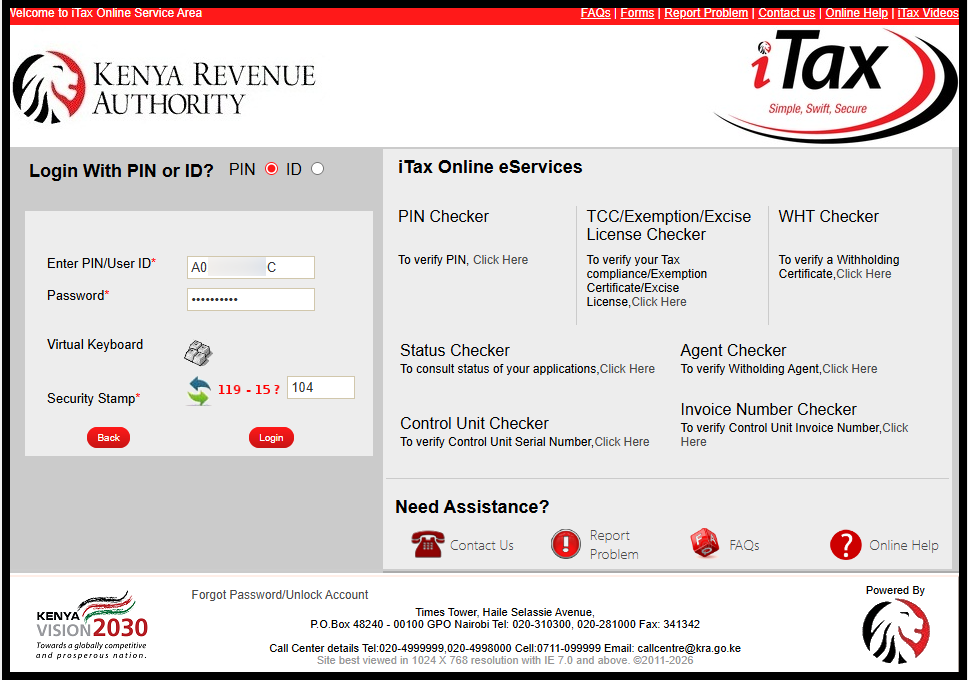
Next, enter KRA PIN Number or ID Number, click on the “Continue” button, enter iTax Password (KRA Password), solve the arithmetic question (security stamp) and click on the “Login” button to access your iTax account.
-
Step 3: Enter Mobile Number
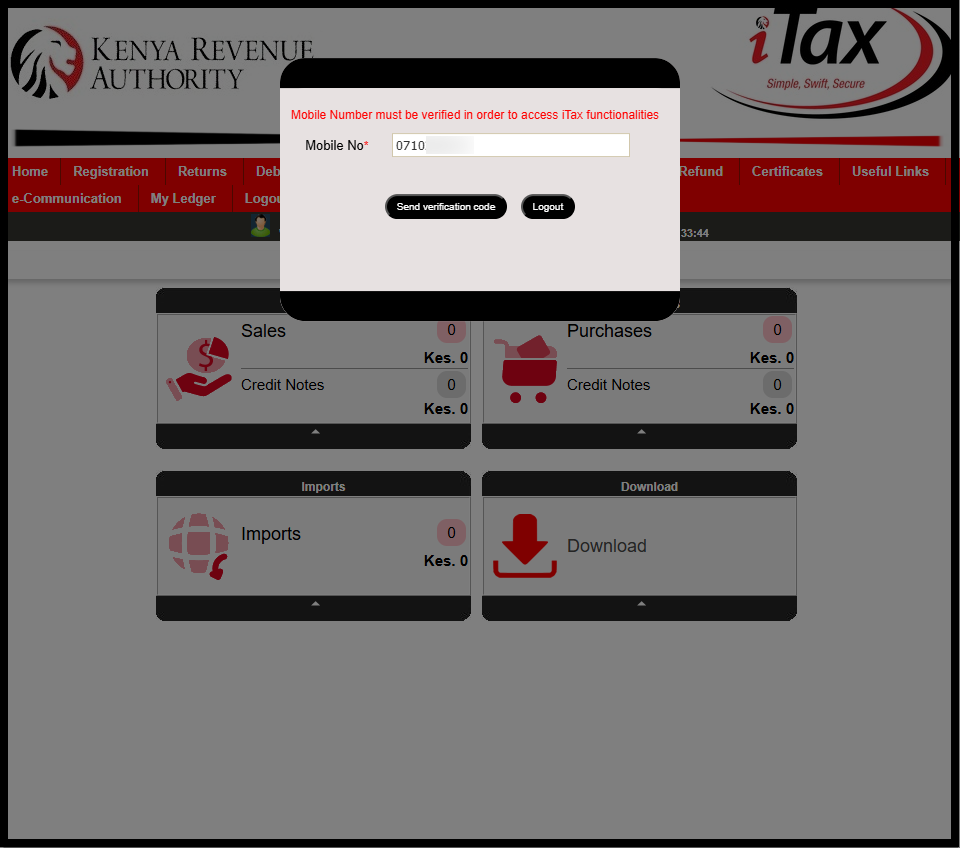
Once logged into iTax, you will see the notification “Mobile Number must be verified in order to access iTax functionalities.” At this point, if the mobile number displayed is yours, you can go ahead and click on the “Send Verification Code” button. If you want to add your new mobile number, just delete that mobile number and enter the new one that you want to use on iTax.
-
Step 4: Enter OTP Sent To Mobile Number
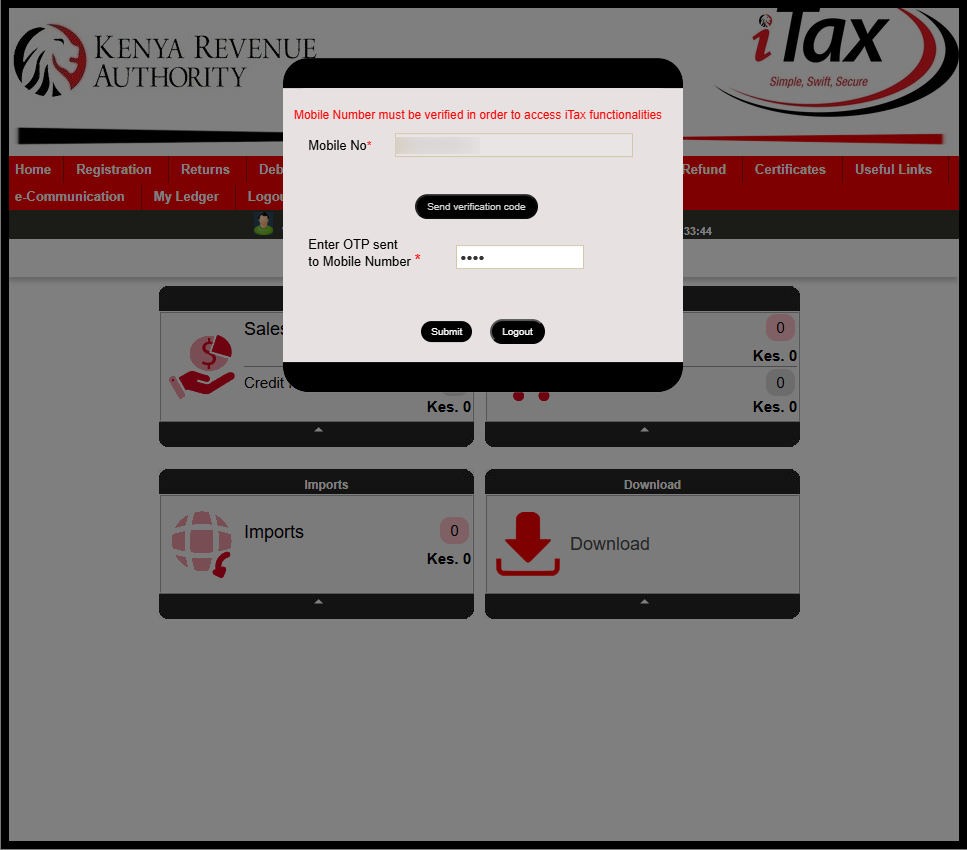
Next, check your phone for an SMS containing the OTP verification code that has been sent by Kenya Revenue Authority (KRA). Enter the OTP verification code and click on the “Submit” button.
-
Step 5: Mobile Number Verified Successfully
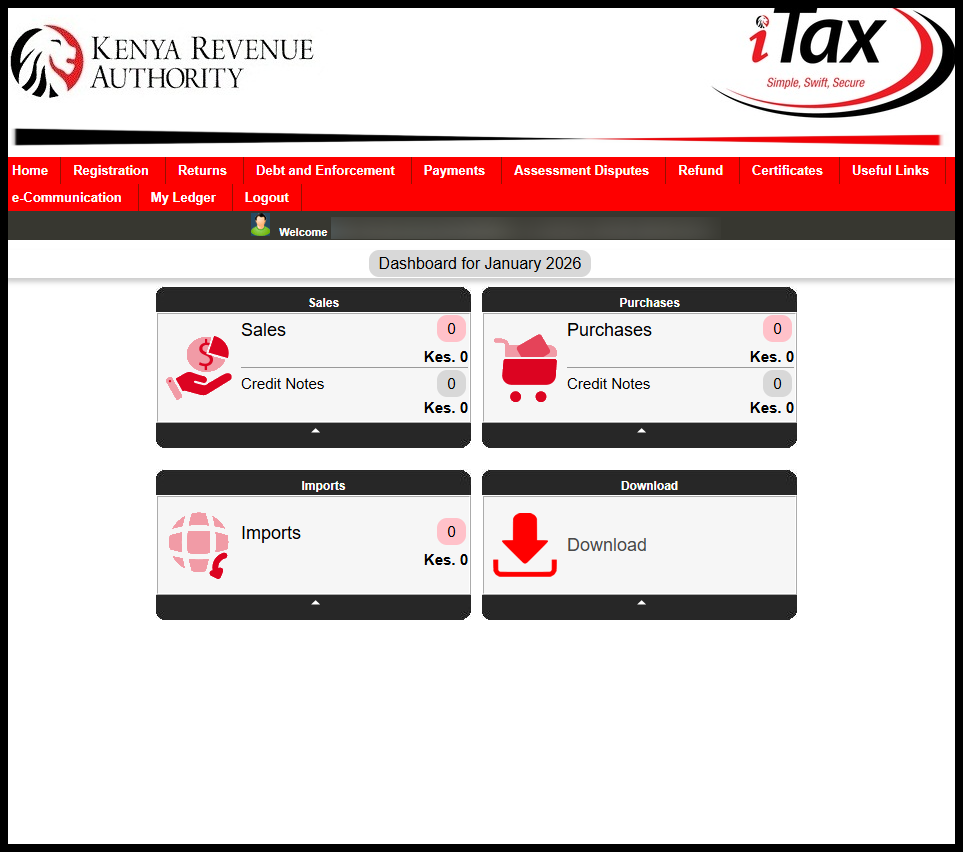
Once you have entered the OTP sent to your mobile number, you will have now successfully verified mobile number on iTax. You can now access iTax and use the various features and functionalities available in your account.
Submit Service Request
Waiting Duration: 5 minutes
You will receive your:
- KRA PIN Number
- KRA PIN Certificate
Via: Email Address and WhatsApp
Once your mobile number has been verified on iTax, you will be able to access all services without interruption. You will also receive important alerts, OTPs, and notifications directly on your phone, making it easier to complete tax-related tasks securely and on time.
READ ALSO: How To Download Tax Compliance Certificate (TCC)
To avoid login issues or delays when using iTax, always ensure that your registered mobile number is active and correctly verified. Keeping your contact details up to date helps ensure smooth communication with KRA and uninterrupted access to the iTax portal.

Tutorials Kenya publishes clear step-by-step tutorials designed to help Kenyans understand online processes. Our step-by-step tutorials are written in very simple language to make online processes easier for all Kenyans.