Disclaimer
This tutorial on How To Update SHA Phone Number is an independent step-by-step guide by Tutorials Kenya. We are not affiliated with or endorsed by Social Health Authority (SHA) or any government agency in Kenya. This step-by-step tutorial is for informational and educational purposes only.
The SHA phone number is the mobile number registered and linked to your SHA account on the AfyaYangu portal (https://afyanyangu.go.ke). This phone number is a critical contact detail because it is used by the system to identify you and to send verification messages. Whenever you attempt to access your SHA account, the platform relies on this registered phone number to confirm your identity and secure your account.
READ ALSO: How To File KRA Nil Returns In 2026
You need to update your SHA phone number if you are no longer receiving OTPs during login or when resetting your Afya Yangu account PIN. Since all one-time passwords (OTPs) for account access and PIN recovery are sent to the registered phone number, an outdated, inactive, or incorrect number will prevent you from logging in successfully. Updating the phone number ensures you can reliably receive OTPs required for SHA account login and PIN reset processes.
Requirements Needed To Update SHA Phone Number
To update your SHA phone number, you must have a mobile number that is officially registered and linked to your own National ID number. The SHA system verifies personal details against national records, meaning the phone number you provide must belong to you and be associated with your identification details.
It is important not to use someone else’s phone number when updating your SHA details. Using a number registered under another person’s ID can lead to verification failure, blocked OTP delivery, or future access issues with your Afya Yangu account. Always ensure the phone number is active, accessible to you, and registered in your own name to avoid complications.
How To Update SHA Phone Number
To update your phone number on SHA successfully, you need to follow the steps outlined below.
-
Step 1: Visit Afyayangu.go.ke
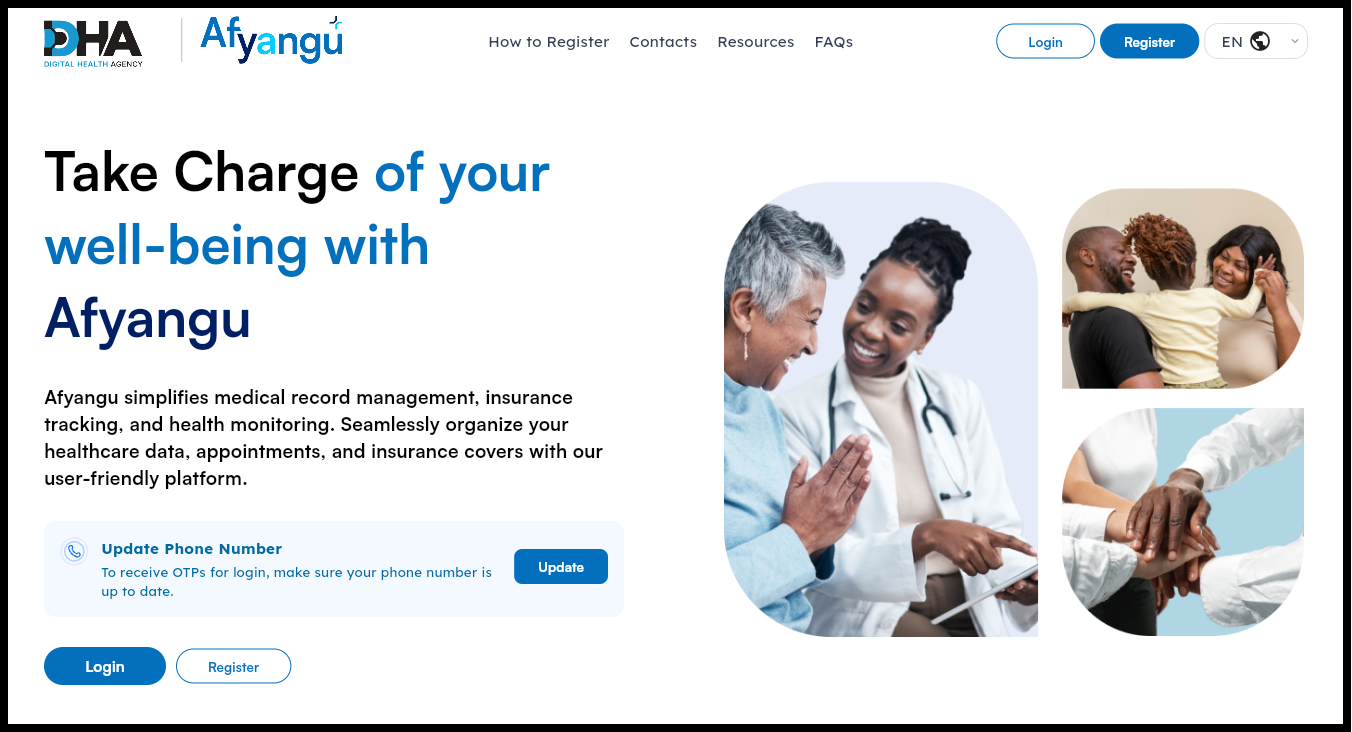
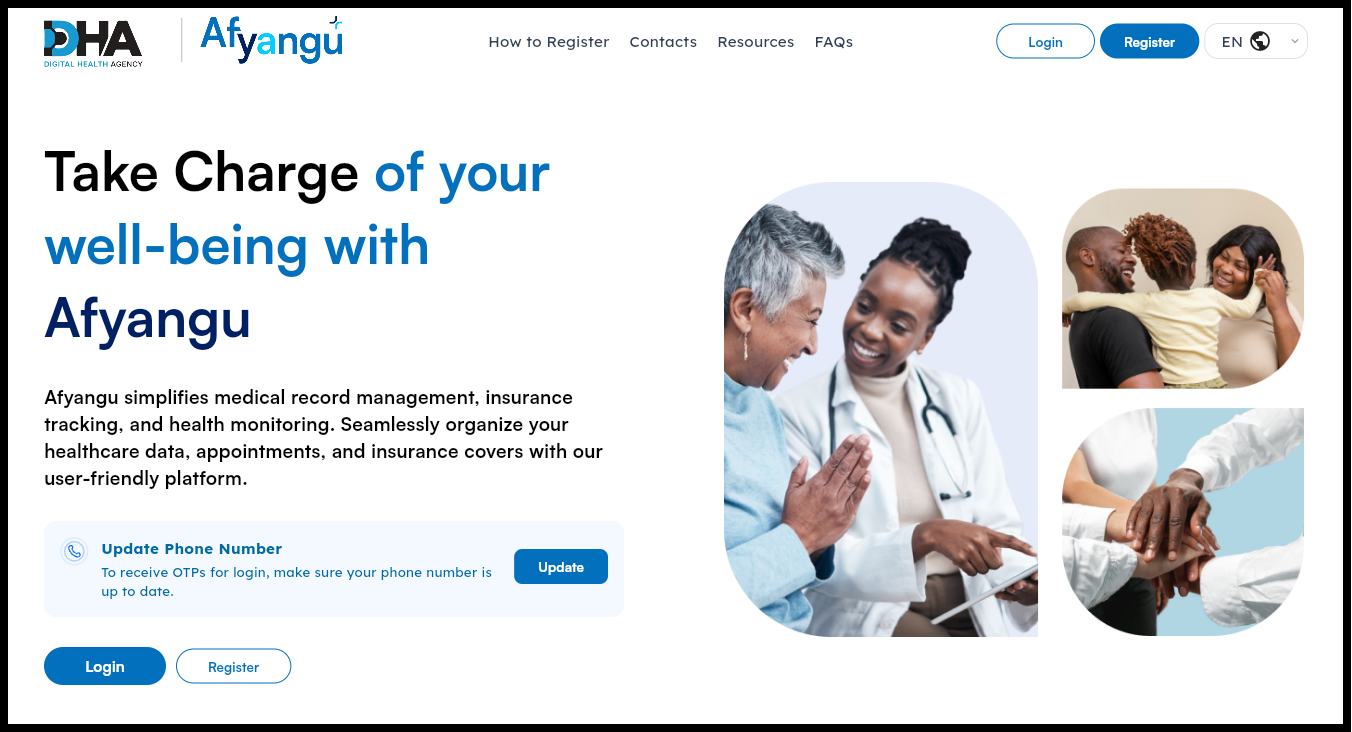
The first step in the process of updating phone number on SHA is to visit Afyayangu using the link – https://afyayangu.go.ke/
-
Step 2: Click on Update button
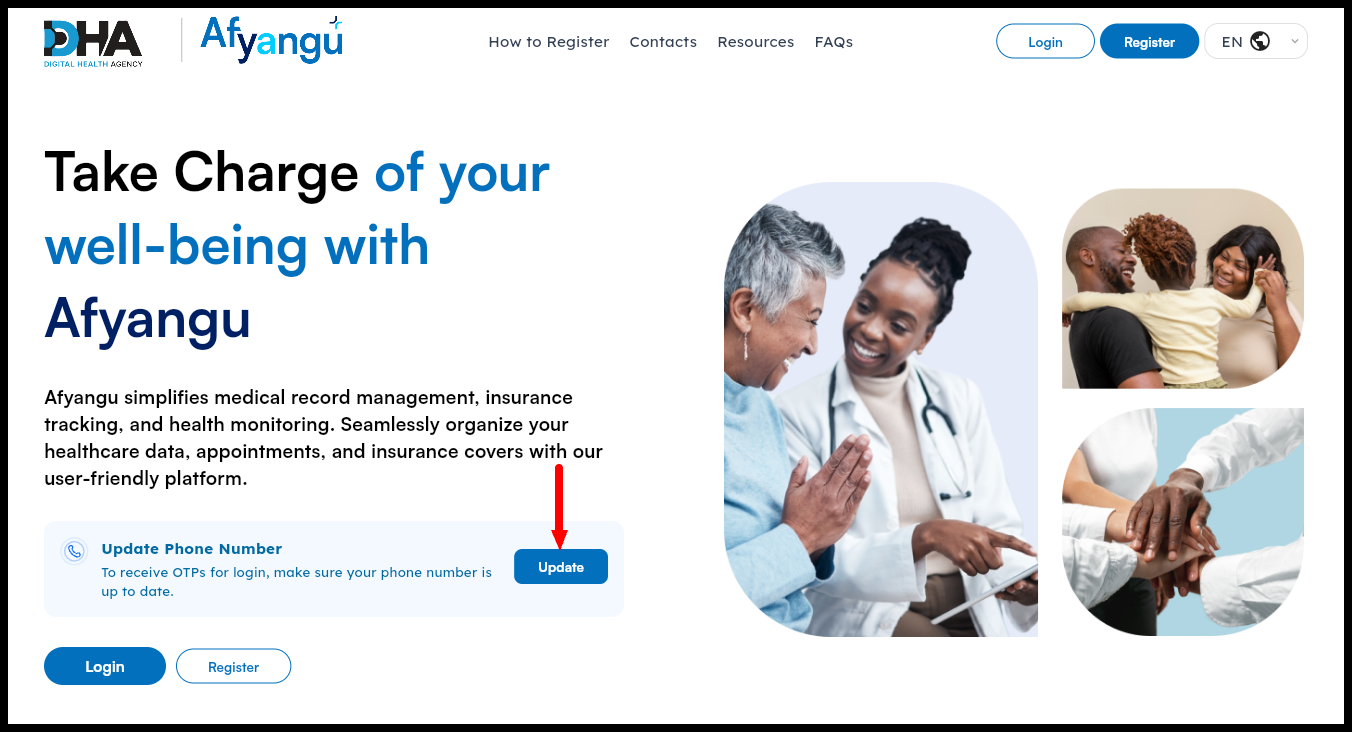
Once you are on Afyayangu.go.ke, click on the “Update” button to begin the process of updating SHA phone number online.
-
Step 3: Select ID type
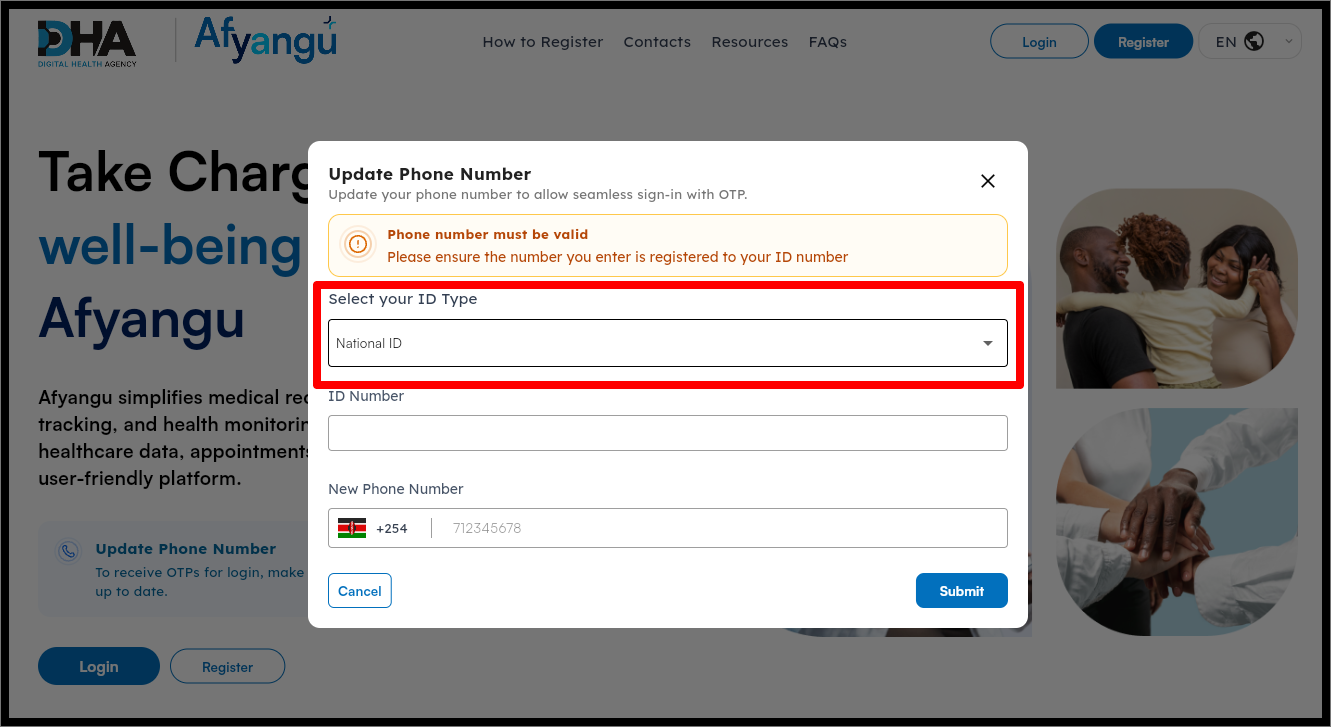
In this step, you need to select the ID type that is linked to your SHA account on Afyayangu.go.ke portal.
-
Step 4: Enter ID Number
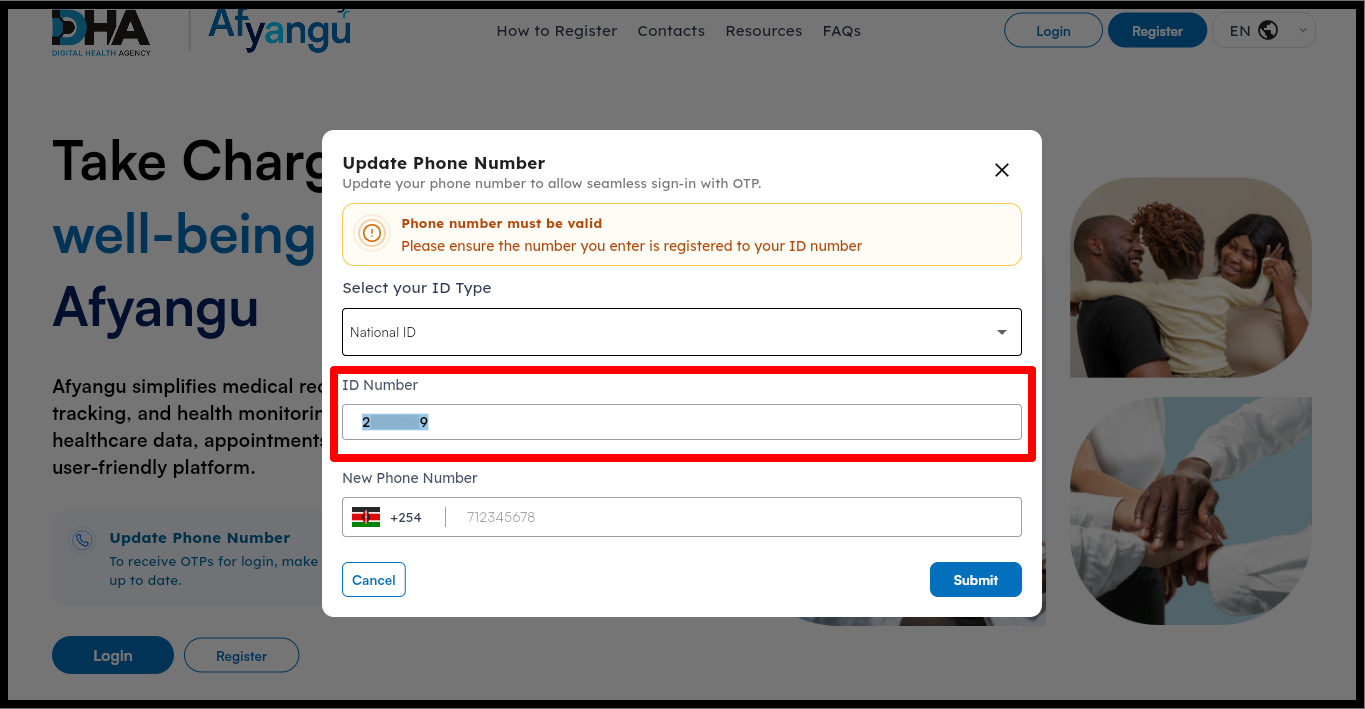
Next, enter your ID Number correctly. Ensure that the ID number is already registered on Afyayangu.go.ke to be able to update the phone number on SHA successfully.
-
Step 5: Enter New Phone Number
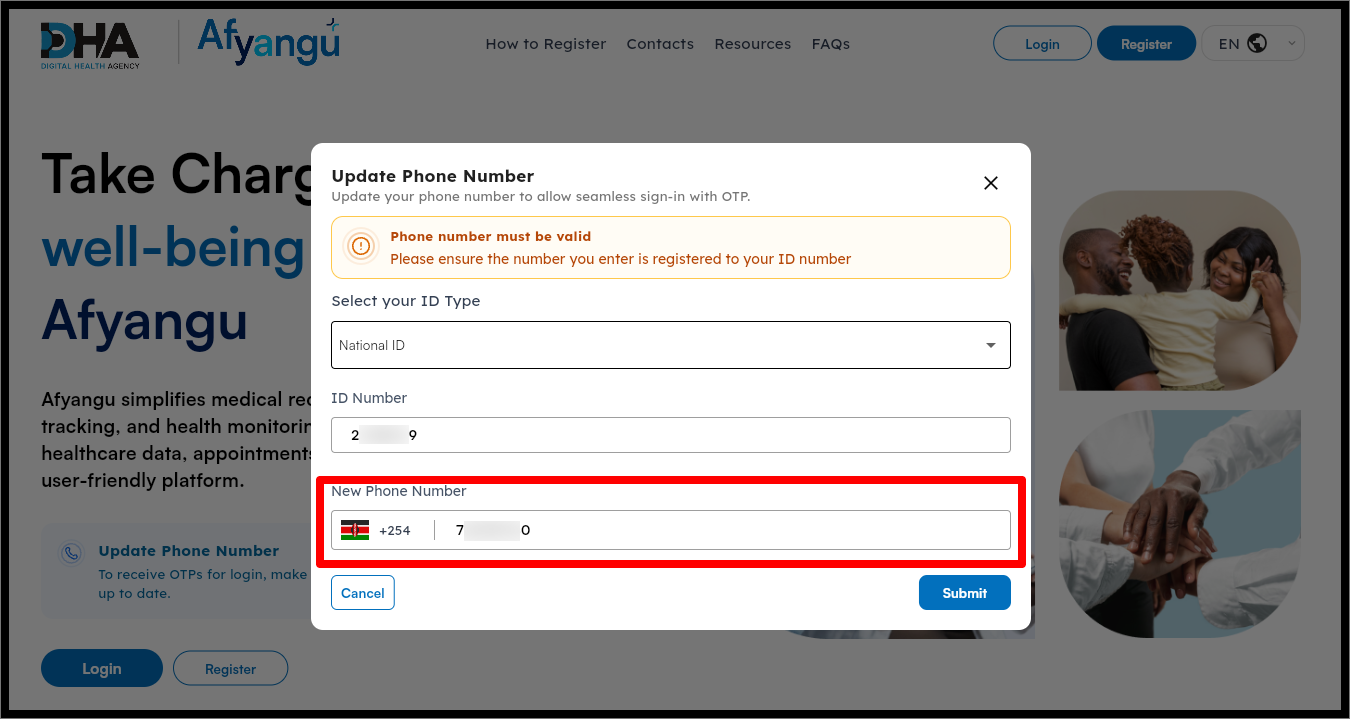
In this step, you need to enter your new phone number. Please ensure the number you enter is registered to your ID number.
-
Step 6: Click Submit button
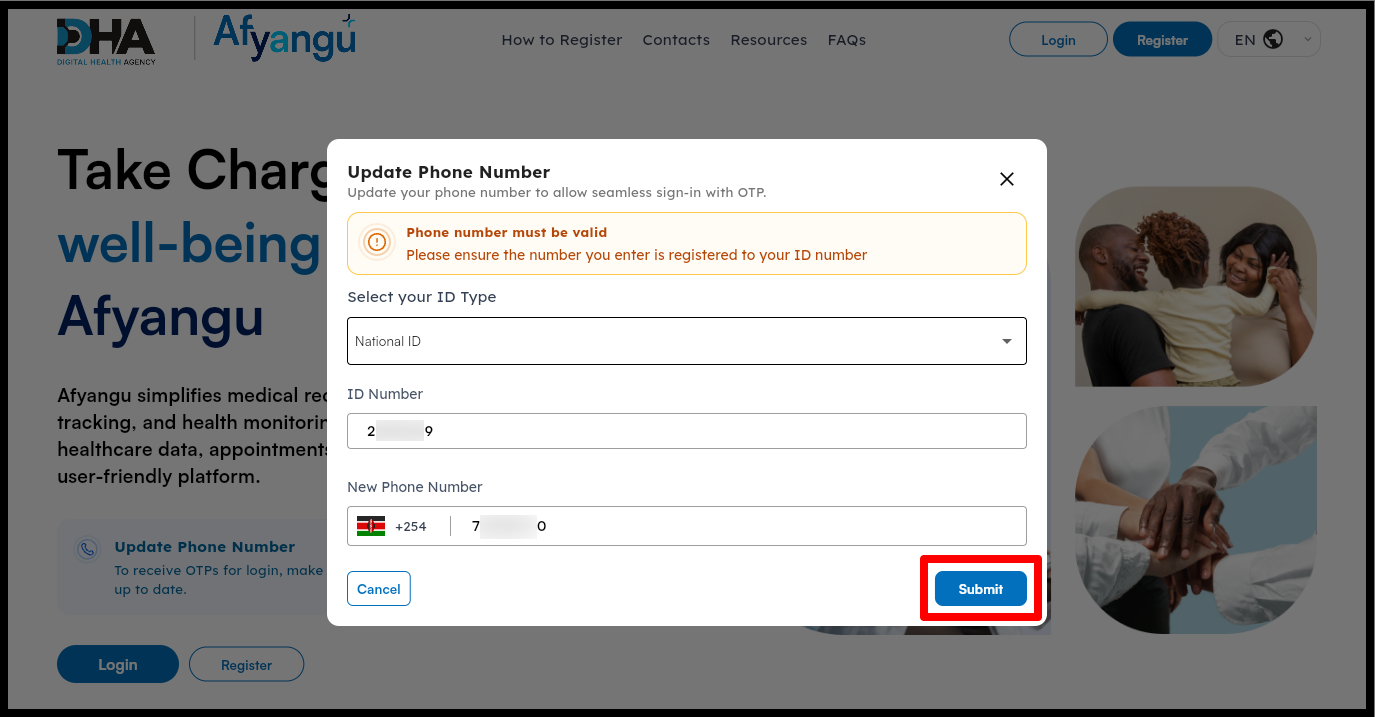
Once you have entered your new phone number i.e. the number that you want to use to receive OTPs, proceed and click on the “Submit” button.
-
Step 7: Processing Request
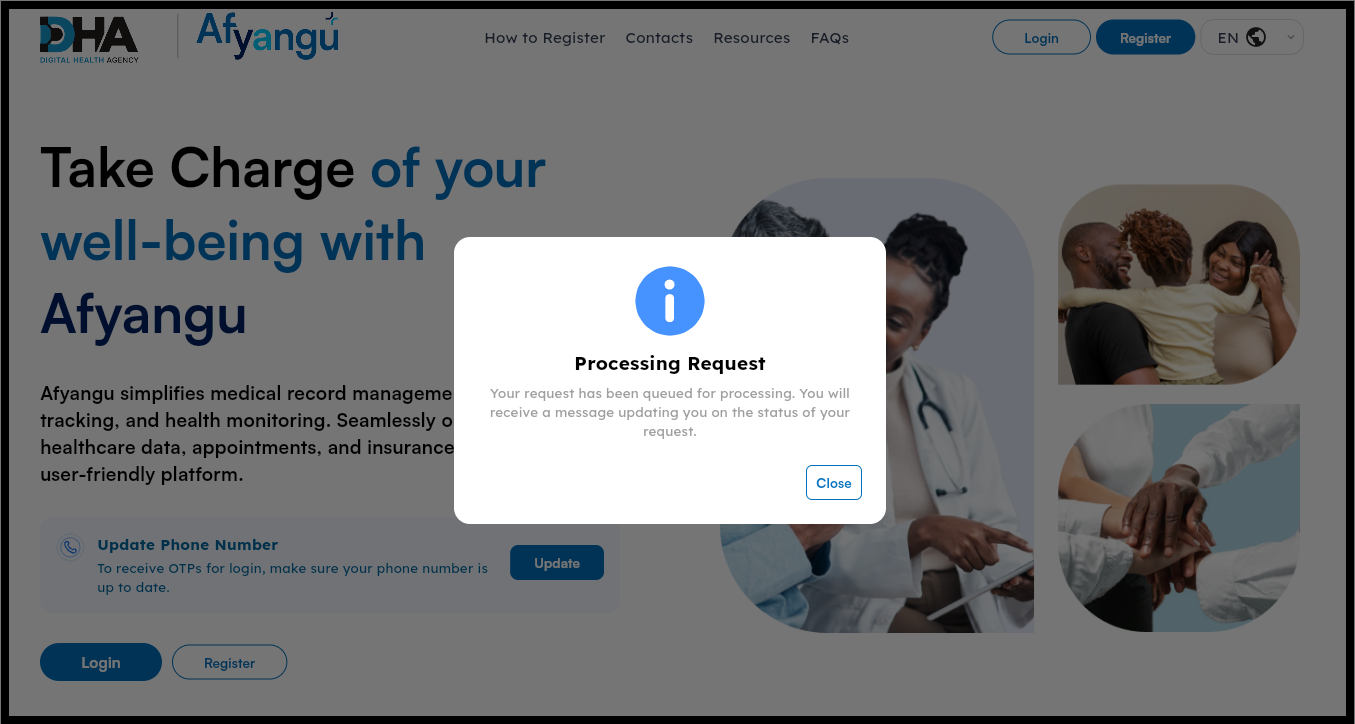
Once you have submitted your request for SHA phone number update, you will see the following message: “Your request has been queued for processing. You will receive a message updating you on the status of your request.”
This simply means your request for update of SHA phone number on Afyayangu.go.ke has been received for processing and you will be notified via SMS once the number has been updated in a few minutes.
-
Step 8: SHA Phone Number Updated Successfully
Once you have submitted your request, the system will queue it for processing as indicated in Step 7. At this stage, no further action is required from you. SHA will review the details you provided, and you will receive an update message informing you of the status of your request in a few.
Processing times may vary i.e. a few minutes to an hour, so it is advisable to keep your phone active and regularly check for notifications. Once your phone number has been updated on SHA, you can be able to reset your PIN and receive OTPs needed to login to your SHA ccount at Afyayangu.go.ke portal
READ ALSO: How To Download Grade 10 Admission Letter
After successful verification, you will receive confirmation that your SHA phone number has been updated, as shown in Step 8. From this point onward, all OTPs for Afya Yangu account login and PIN reset will be sent to the new phone number. You can then log in to your SHA account normally and continue accessing services without interruption.

Tutorials Kenya publishes clear step-by-step tutorials designed to help Kenyans understand online processes. Our step-by-step tutorials are written in very simple language to make online processes easier for all Kenyans.