Disclaimer
This tutorial on How To Reset iTax Password is an independent step-by-step guide by Tutorials Kenya. We are not affiliated with or endorsed by Kenya Revenue Authority (KRA) or any government agency in Kenya. This step-by-step tutorial is for informational and educational purposes only.
An iTax password is the key that allows you to access your iTax account, the online platform provided by the Kenya Revenue Authority (KRA) for managing your taxes. With this password, you can file returns, check your KRA PIN details, and access other tax-related services conveniently from anywhere. Keeping your iTax password secure and up to date is essential for ensuring your account remains safe.
READ ALSO: How To File KRA Returns for Unemployed
If you ever forget your iTax password, you can easily reset it as long as you have your KRA PIN or your national ID number, and the email address that is registered on your iTax account. This process allows you to regain access to your account quickly, ensuring that you can continue to manage your taxes without interruptions.
Submit Service Request
Waiting Duration: 5 minutes
You will receive your:
- KRA PIN Number
- KRA PIN Certificate
Via: Email Address and WhatsApp
How To Reset iTax Password
In order to reset your iTax Password successfully, you need to follow the steps outlined below.
Step 1: Visit iTax (KRA Portal)
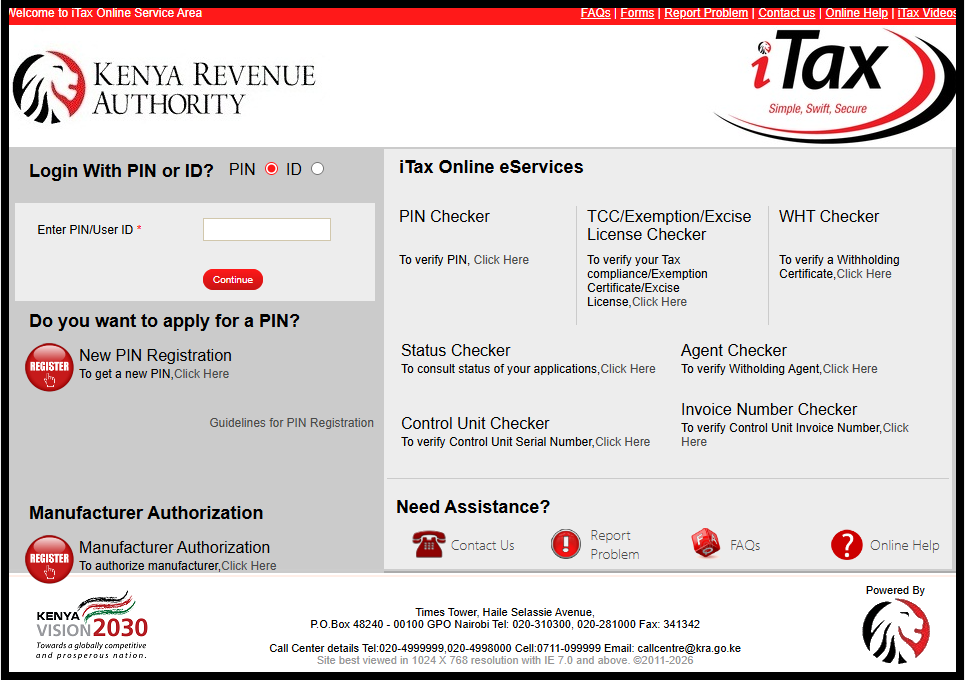
The first step in the process of How To Reset iTax Password is to visit iTax (KRA Portal) using https://itax.kra.go.ke/KRA-Portal/
Step 2: Enter KRA PIN Number or National ID Number
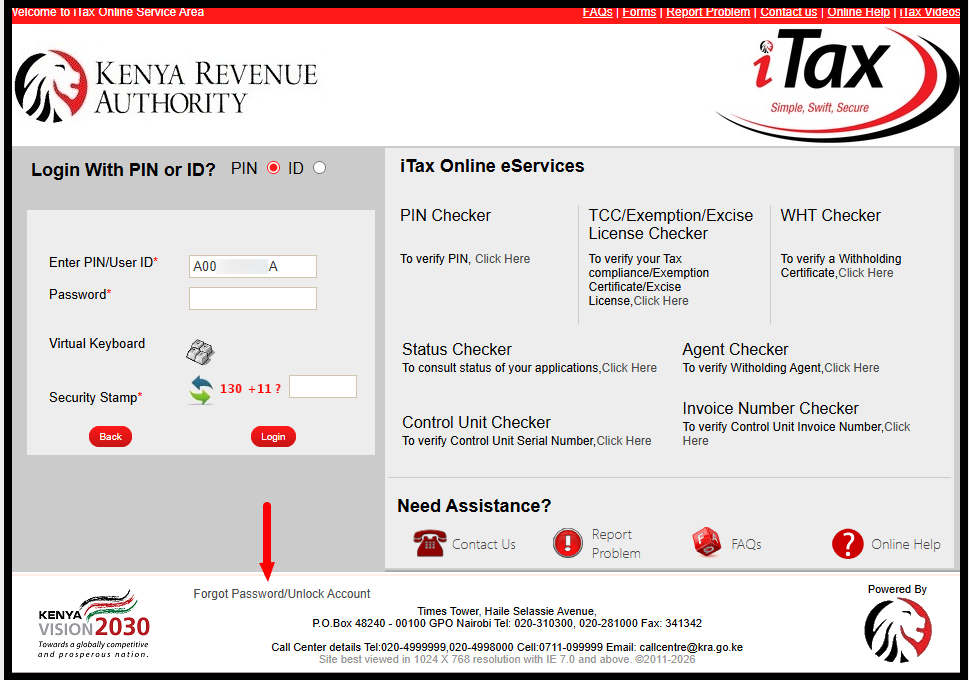
Next, you need to enter your KRA PIN Number or National ID Number, click on the “Continue” and then click on the link labelled “Forgot Password/Unlock Account” to begin the process of iTax Password Reset.
Step 3: Fill the Forgot iTax Password Form
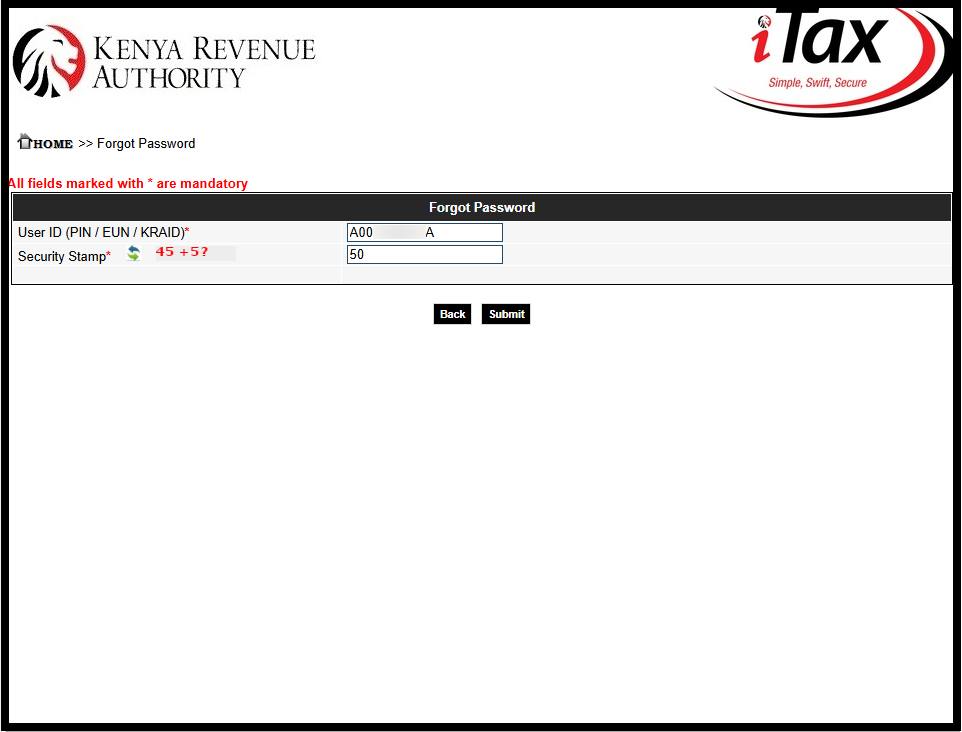
In this step, complete the Forgot iTax Password online request form by entering the required details. Solve the arithmetic question (security stamp) and then click the “Submit” button to proceed. Your password has been mailed to you – now check your email address for the iTax Password Reset Email.
Step 4: iTax Password Reset Email
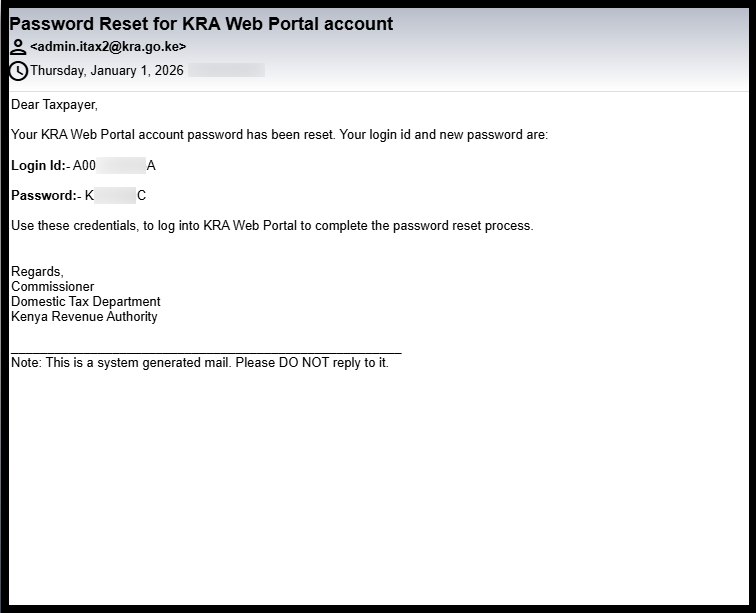
Next, verify the email address linked to your KRA PIN Number. The iTax password reset email, containing your KRA PIN Number and a system generated temporary password (serving as old password), will be sent to this email address. You will use this temporary password to set a new iTax password on iTax (KRA Portal).
Step 5: Visit iTax (KRA Portal)
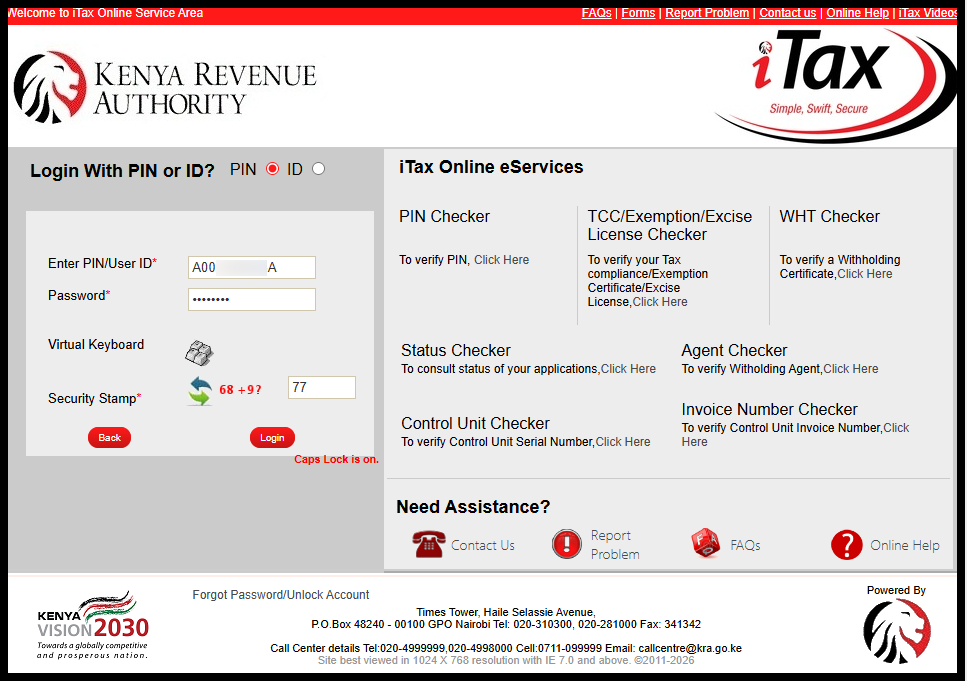
In this step, you need to visit iTax (KRA Portal), enter your KRA PIN Number or National ID Number then click on “Continue.” Next enter the iTax Password Reset and click on the “Login” button.
Step 6: New iTax Password Setup
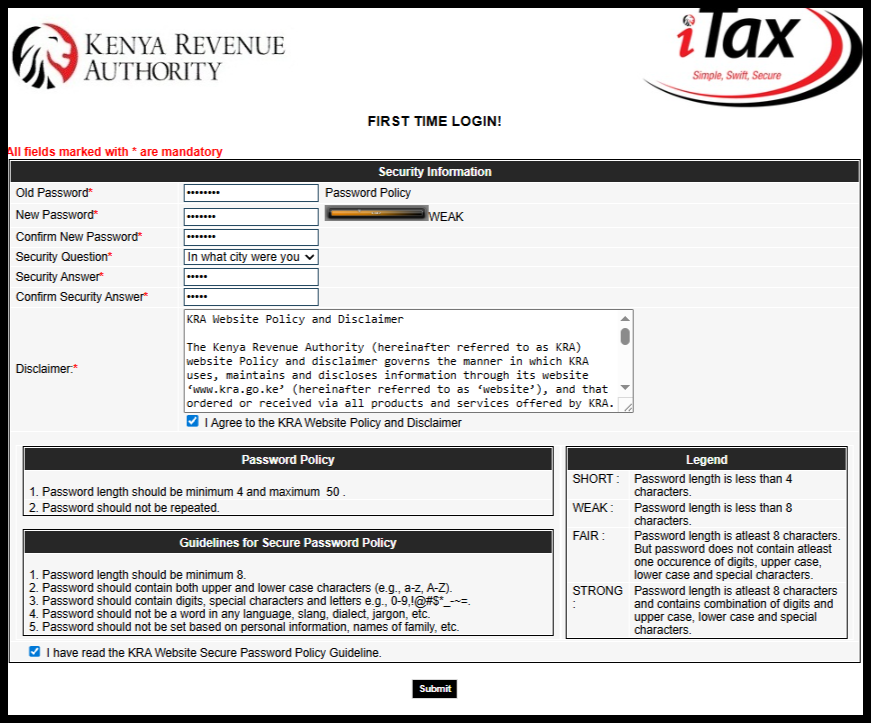
The final and most crucial step in changing your iTax password is setting up a new password for your account. At this stage, you will need to provide several details, including your Old Password (the temporary password sent to your email), New Password (the password you want to use for accessing the KRA Portal) and Confirm New Password (to verify your new password).
Additionally, you will be asked to select a Security Question, provide a Security Answer, confirm the Security Answer, and agree to the required disclaimers. These include checking the boxes for “I Agree to the KRA Website Policy and Disclaimer” and “I have read the KRA Website Secure Password Policy Guideline.” These steps ensure your account remains secure.
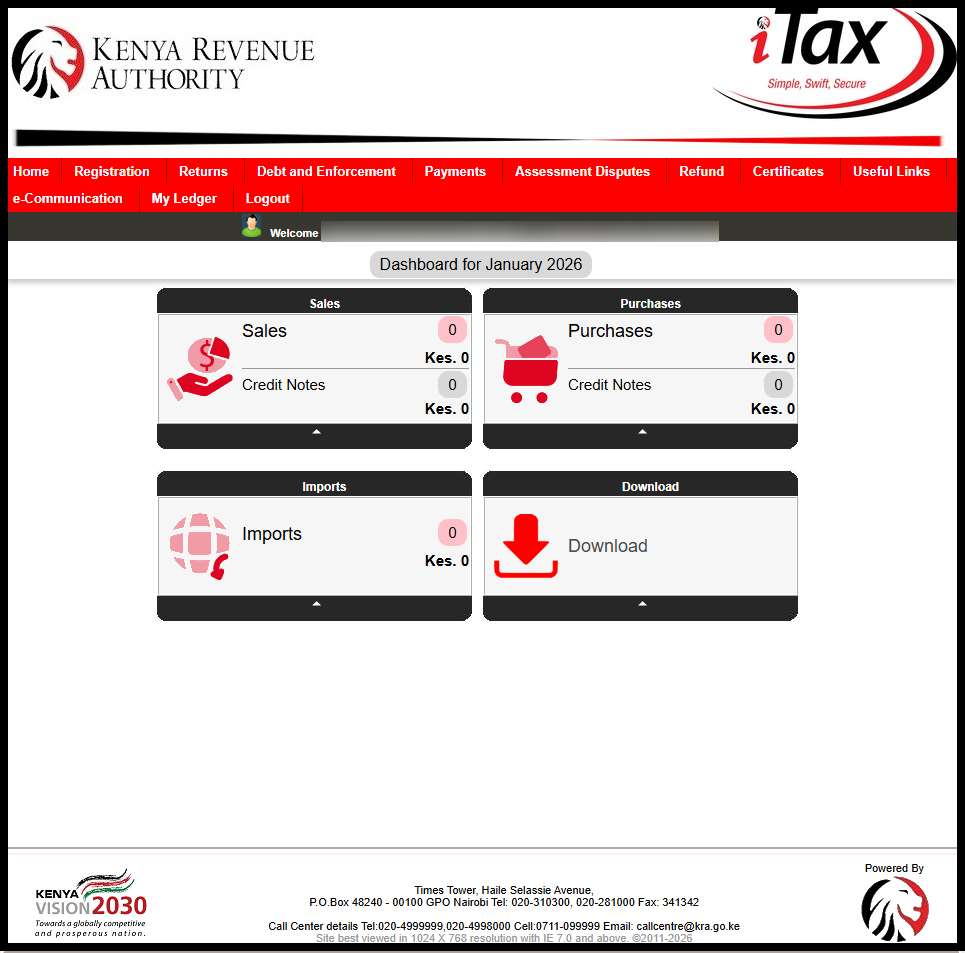
After completing all the required fields, click the “Submit” button. A confirmation message stating “Your KRA password has been successfully changed” will appear on the KRA Portal, and you will be logged in automatically. This confirms that your new password is active and ready for use. Click on “OK” button.
Submit Service Request
Waiting Duration: 5 minutes
You will receive your:
- KRA PIN Number
- KRA PIN Certificate
Via: Email Address and WhatsApp
It is important to remember that successfully changing your iTax password requires having both your KRA PIN Number and the email address linked to your KRA PIN. Once you have these, you can follow the steps outlined in this guide to complete the password reset process safely and efficiently.
READ ALSO: How To File KRA Returns for Students
To reset your iTax password, you need your KRA PIN and the email linked to it. The process involves receiving a temporary password via email, then using it to set a new password on the KRA Portal while completing security questions and agreeing to the portal’s policies. Once submitted, your new password becomes active, and you can access your account immediately.

Tutorials Kenya publishes clear step-by-step tutorials designed to help Kenyans understand online processes. Our step-by-step tutorials are written in very simple language to make online processes easier for all Kenyans.