Disclaimer
This tutorial on How To Register on QMIS KNEC System is an independent step-by-step guide by Tutorials Kenya. We are not affiliated with or endorsed by Kenya National Examinations Council (KNEC) or any government agency in Kenya. This step-by-step tutorial is for informational and educational purposes only.
The Query Management Information System (QMIS) is an online platform developed by the Kenya National Examinations Council (KNEC) to facilitate the electronic submission and processing of examination-related queries.
READ ALSO: How To Verify Mobile Number on iTax
Through QMIS, candidates and institutions can apply for services such as Examination Results Certification Letters for lost certificates, Confirmation of Examination Results, and the Equation of Foreign Qualifications, eliminating the need for manual applications.
In addition to results-related services, QMIS also handles various candidate data update requests. These include bio data amendments such as correction of names, photograph, gender, year of birth, birth certificate number, citizenship details, as well as entry code queries.
Registering on QMIS is therefore essential for anyone seeking to submit and track these queries efficiently through the official KNEC system.
QMIS KNEC Registration Requirements
To register on the QMIS KNEC platform, applicants are required to provide accurate personal and contact details to enable KNEC to create and manage their account. The registration form captures your full name as it appears on official records, a valid mobile number, and a postal address, which may be used for official communication where necessary.
You must also indicate your title or designation and provide a valid email address, which will serve as your primary login and communication channel. The email address must be entered and confirmed correctly to ensure successful account activation and receipt of notifications regarding your submitted queries and application status.
How To Register on QMIS KNEC System
To successfully register on QMIS KNEC, you need to follow the steps outlined below for successful registration on KNEC QMIS.
-
Step 1: Visit QMIS KNEC System
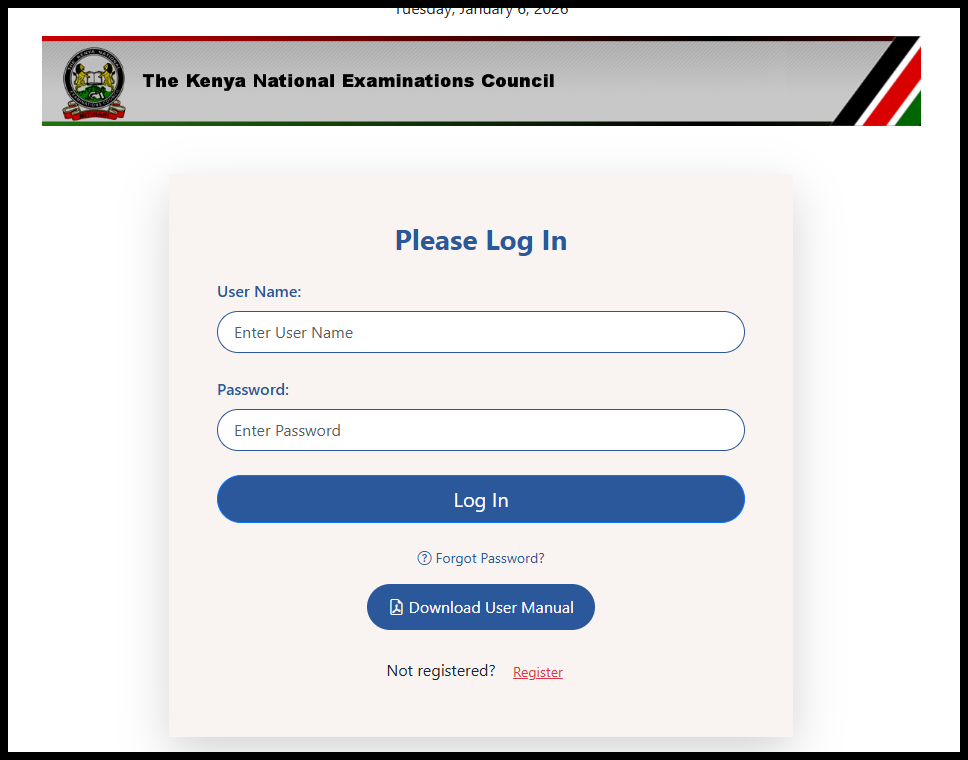
The first in the process of QMIS Registration is to visit the QMIS KNEC system using the link – https://qmis.knec.ac.ke
-
Step 2: Click on Register Button
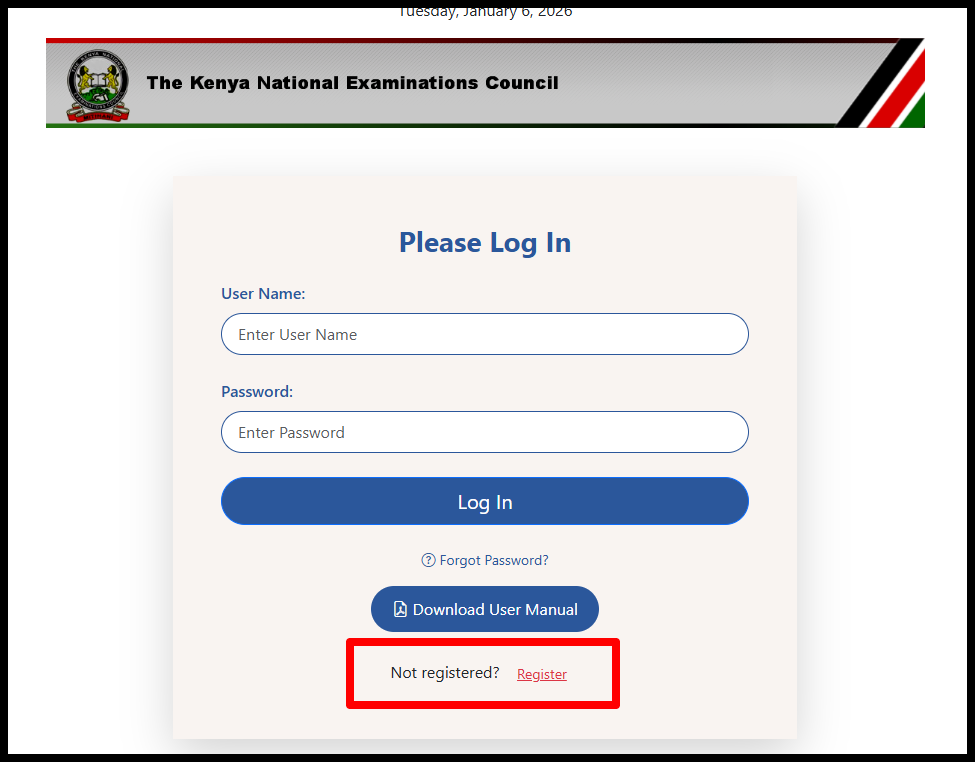
Once you are on QMIS, click on the “Register” button to begin the registration process online.
-
Step 3: Fill QMIS Registration Form
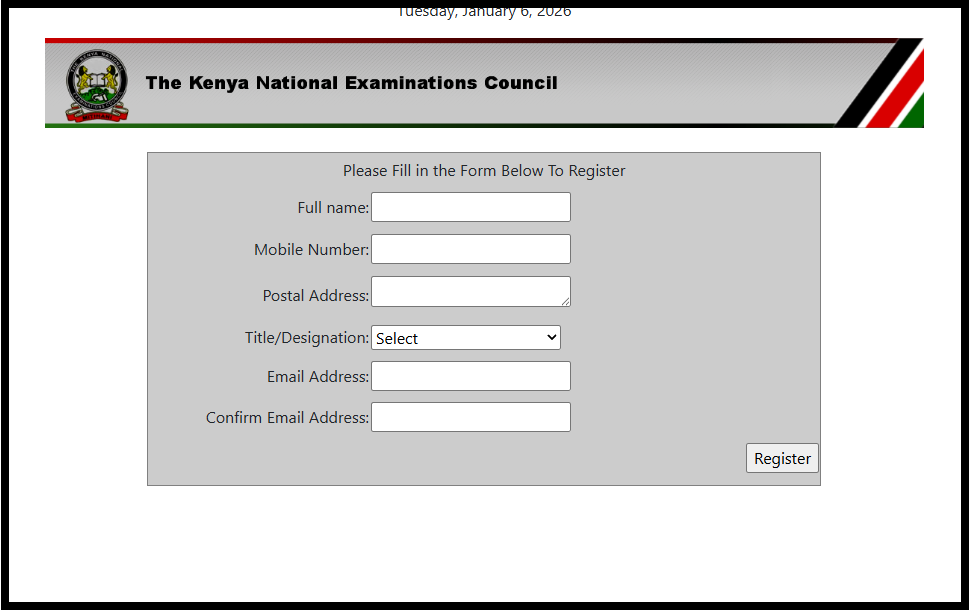
In this step, you need to fill in the QMIS registration form. You will be required to provide the following details; Full Name, Mobile Number, Postal Address, Title/Designation and Email Address. Once you have filled in these key details, click on the “Register” button.
-
Step 5: QMIS Registration Successful
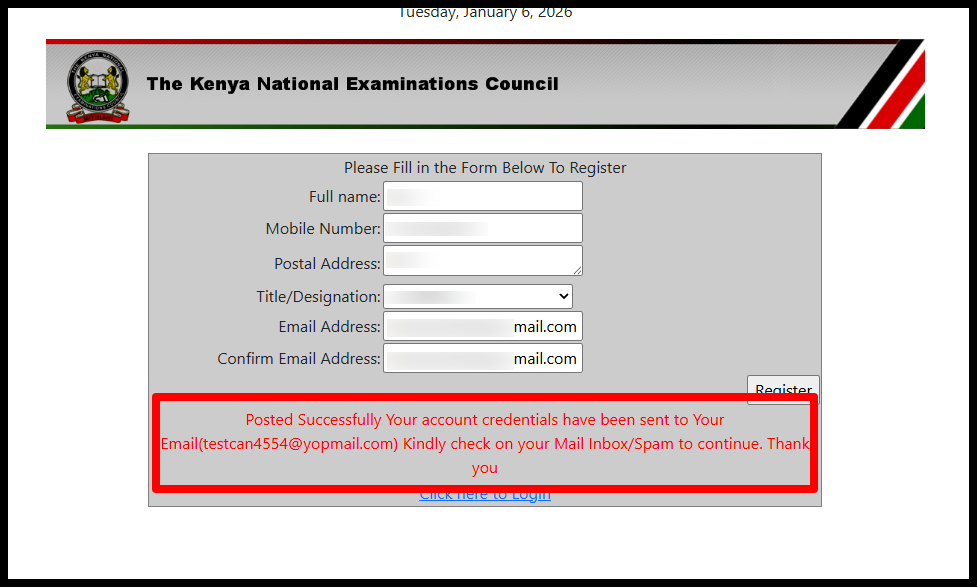
You will the following message – “Posted Successfully Your account credentials have been sent to Your Email(*******@*****.com) Kindly check on your Mail Inbox to continue.” Now login to your email to get the QMIS Username and QMIS Password. This confirms that you have registered on QMIS KNEC successfully and proceed to login using bothe QMIS username and QMIS password.
-
Step 5: Check Email for Username and Password
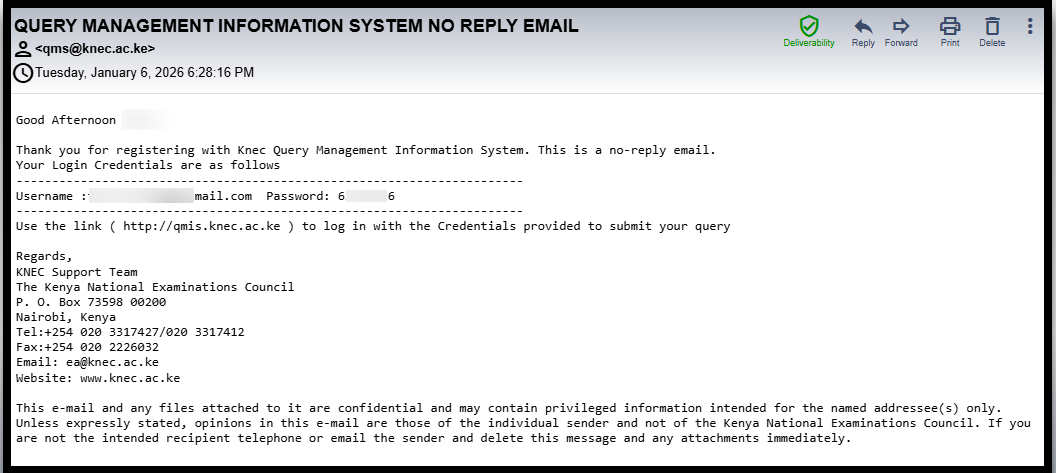
Next, you need to check your email address as bothe your QMIS Username and QMIS Password have been sent there. This is important because you are going to need to two credentials to successfully log in to QMIS KNEC System (Portal).
Once you have filled in all the required fields and submitted the registration form, your QMIS account will be created, allowing you to access the system’s services. You can then submit queries related to examination results, request certification letters, or apply for bio data amendments directly through the platform, ensuring a faster and more efficient process.
READ ALSO: How To Check KRA PIN using KRA PIN Checker
It is important to keep your login details secure and regularly check your registered email and mobile number for updates on your queries. Proper QMIS registration ensures that all communications from KNEC reach you promptly, making it easier to track the status of your applications and receive timely resolutions.

Tutorials Kenya publishes clear step-by-step tutorials designed to help Kenyans understand online processes. Our step-by-step tutorials are written in very simple language to make online processes easier for all Kenyans.