Disclaimer
This tutorial on How To File KRA Nil Returns In 2026 is an independent step-by-step guide by Tutorials Kenya. We are not affiliated with or endorsed by Kenya Revenue Authority (KRA) or any government agency in Kenya. This step-by-step tutorial is for informational and educational purposes only.
It is that time of the year whereby taxpayers are required to file their KRA Returns on or before the elapse of the set deadline of 30th of June 2026.
READ ALSO: How To Download Grade 10 Admission Letter
If you are a student or unemployed individual and have an active KRA PIN Number, then you are required to file KRA Nil Returns before the 30th June 2026 deadline. KRA Nil Returns is a type of tax return that is filed by those individuals who don’t have any source of income i.e. no business, no rental income and no employment income in Kenya.
Submit Service Request
Waiting Duration: 5 minutes
You will receive your:
- KRA PIN Number
- KRA PIN Certificate
Via: Email Address and WhatsApp
How To File KRA Nil Returns In 2026
To file KRA Nil Returns in 2026, follow the outlined steps below.
Step 1: Visit iTax (KRA Portal)
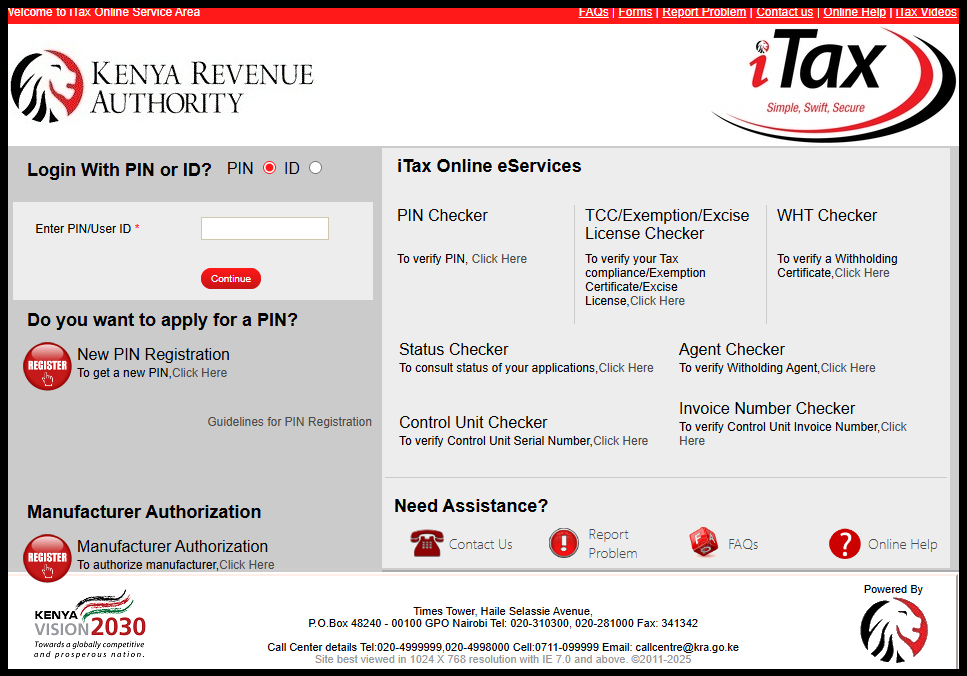
The first step in the process of filing KRA Nil Returns in 2026 is to visit iTax (KRA Portal) using the link https://itax.kra.go.ke/KRA-Portal/
Step 2: Log in to iTax (KRA Portal)
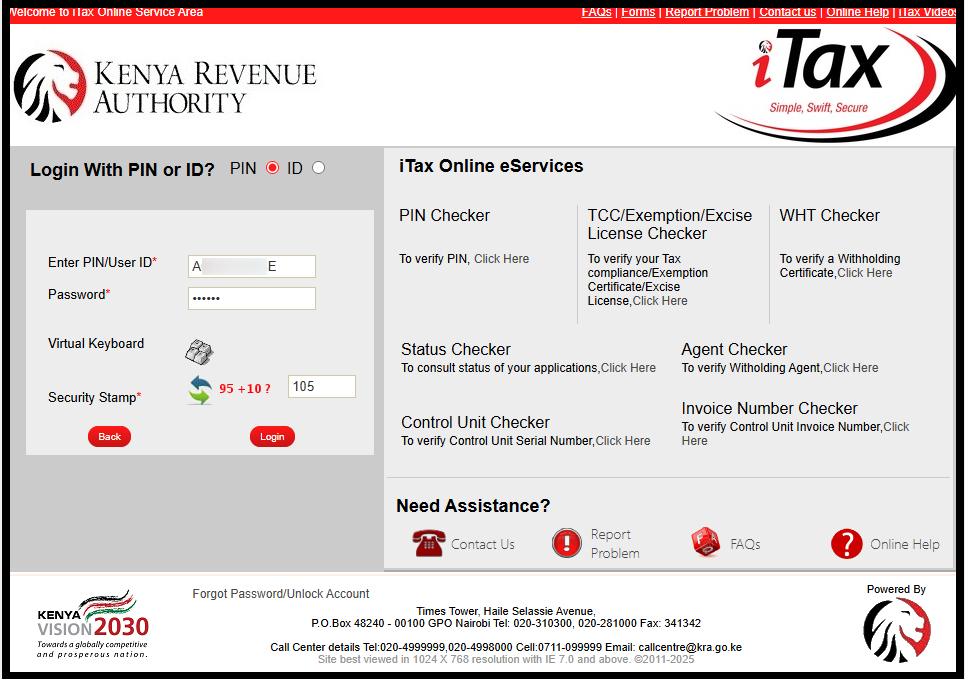
Next, to log in to iTax (KRA Portal), enter your KRA PIN Number or National ID Number, click “Continue” then enter your iTax Password (KRA Password) and then solve arithmetic question (security stamp). Once you have done that, click on the “Login” button.
Step 3: Click on Returns then File KRA Nil Returns
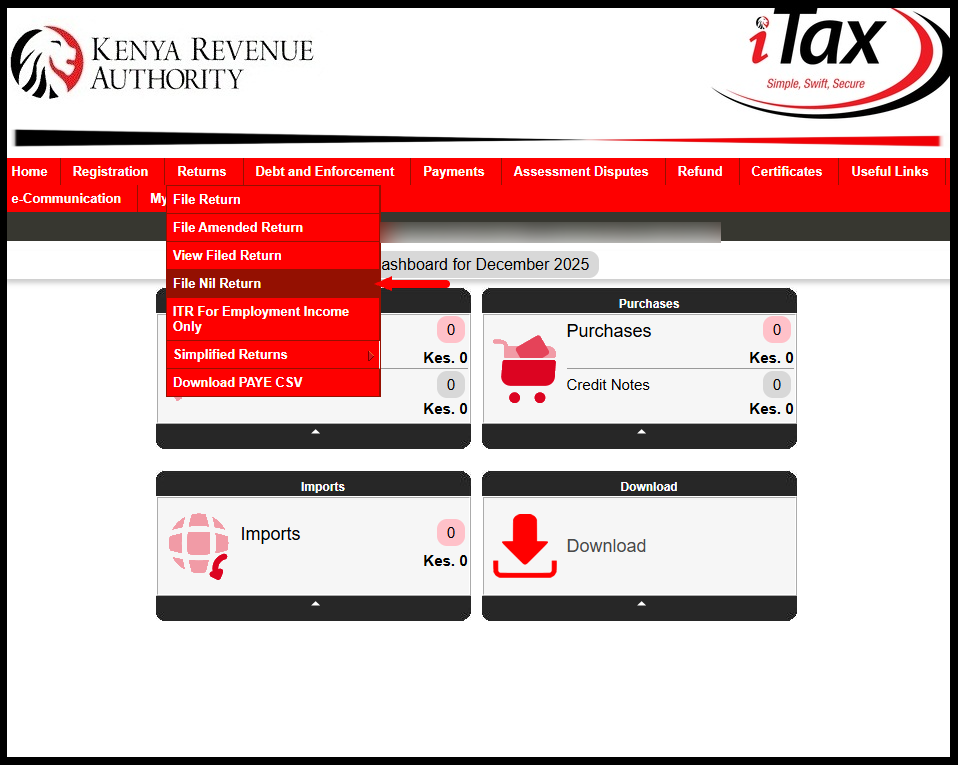
Once you are successfully logged into iTax (KRA Portal), click on “Returns” menu followed by “File Nil Returns” from the drop-down menu to start the process of filing KRA Nil Returns in 2026.
Step 4: Select KRA Tax Obligation
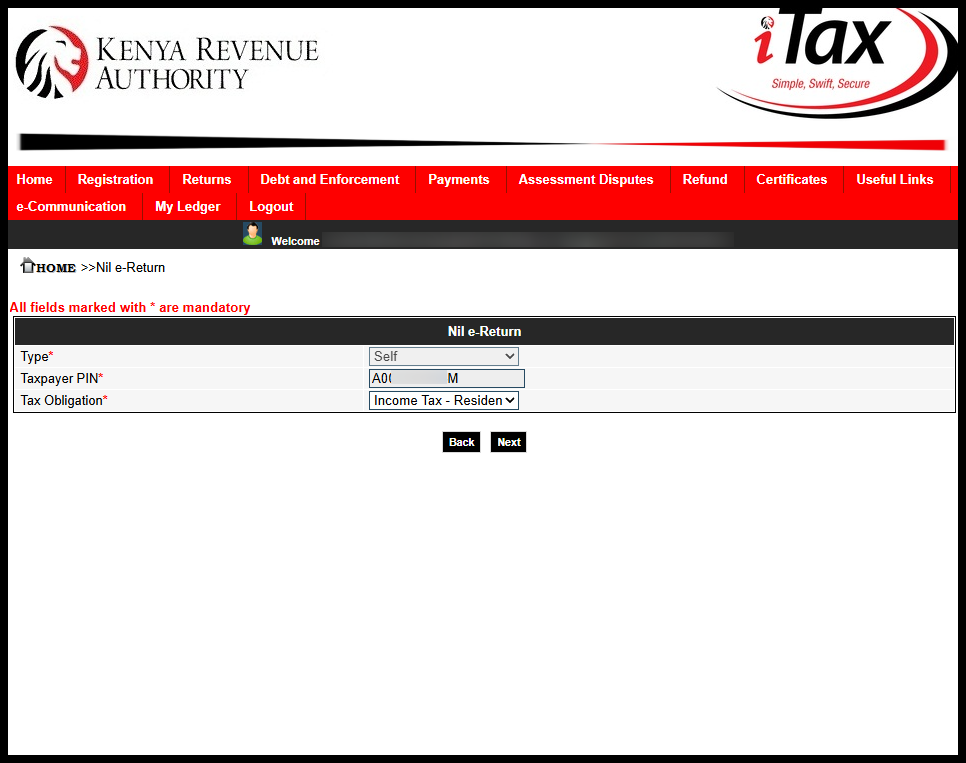
Next, you need to select the KRA Tax Obligation i.e. “Income Tax – Resident Individual” then click the “Next” button to proceed.
Step 5: Fill In The Income Tax – Resident Individual Nil e-Return Form
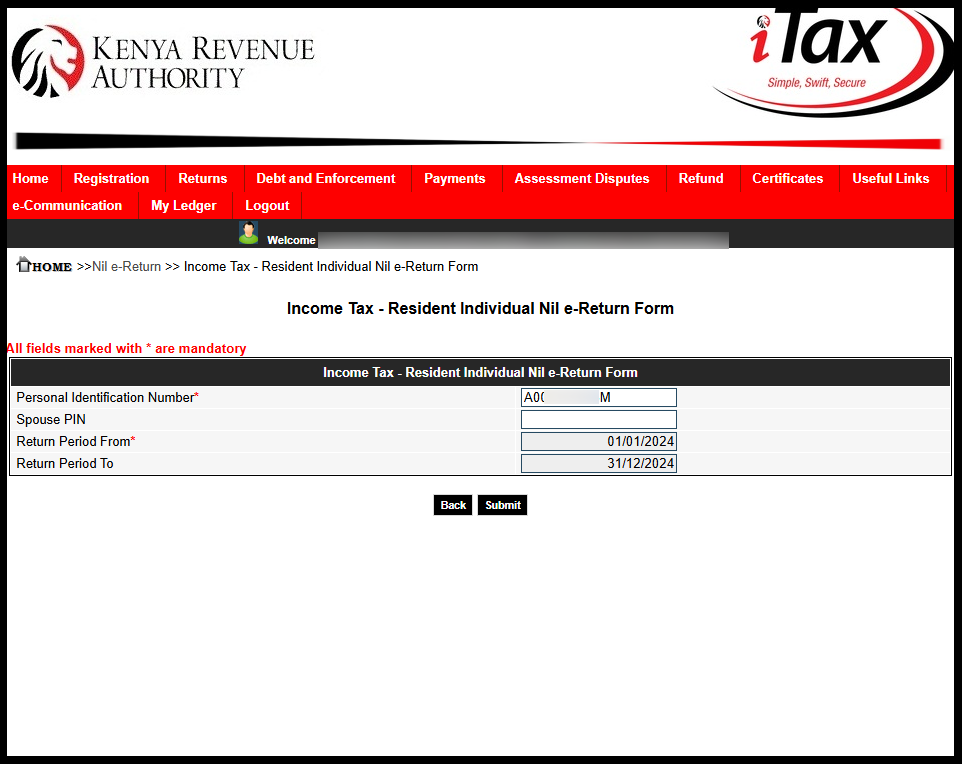
In this step, you need to fill in the Income Tax – Resident Individual Nil e-Return Form. If your KRA Returns are up to date, the “Return Period From” will automatically set the “Return Period To.” For example, this year 2026, the Return Period From is 01/01/2025 and the Return Period To is 31/12/2025. Once you have done that, click on the “Submit.”
Step 6: Download e-Return Acknowledgement Receipt (KRA Returns Receipt)
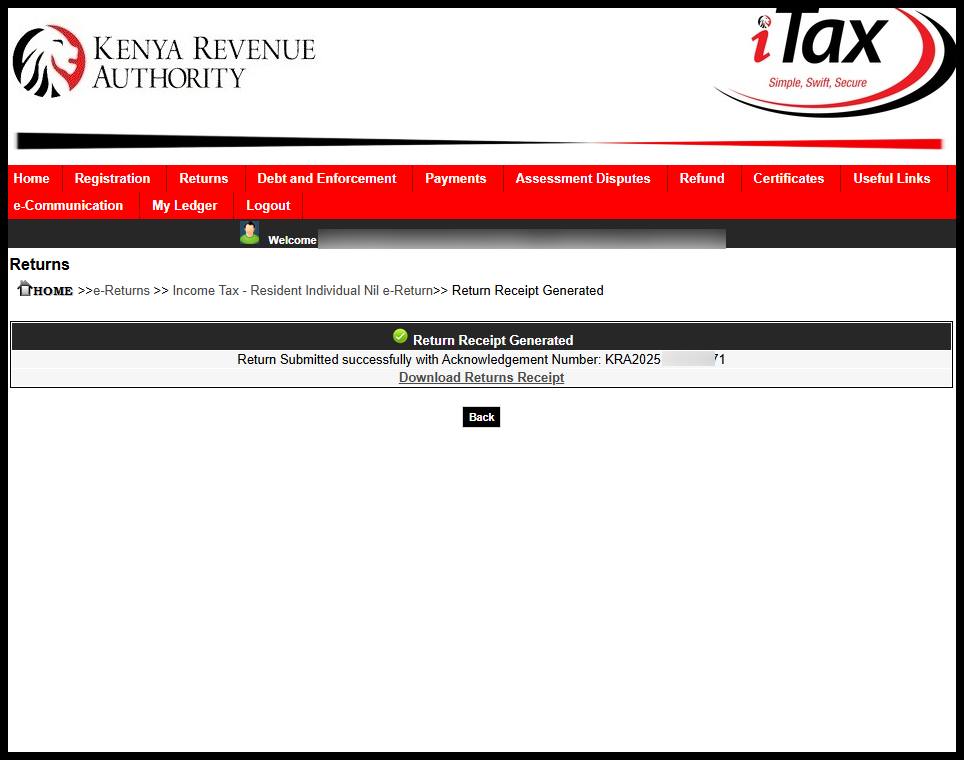
The last step in the process of How To File KRA Nil Returns in 2026 is to download the “e-Return Acknowledgement Receipt” also known as KRA Returns Receipt. This returns receipt confirms that you have filed your KRA Nil Returns successfully on iTax (KRA Portal).
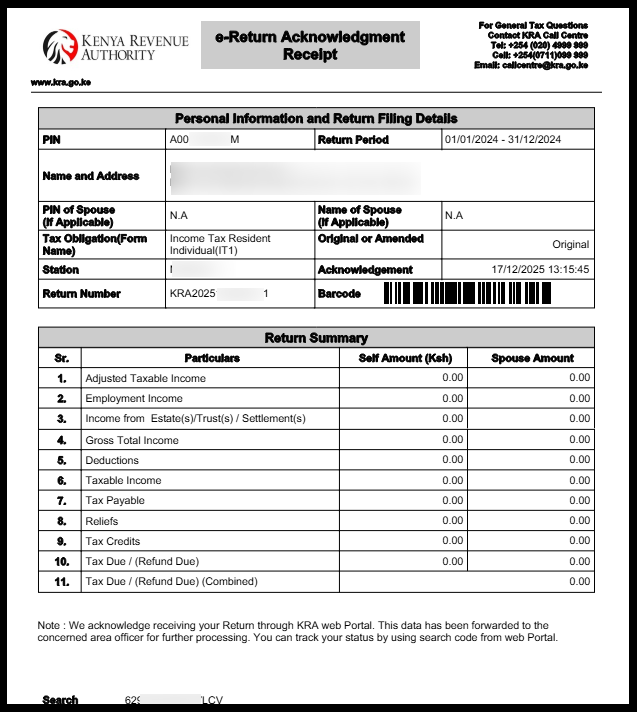
To download the KRA Returns Acknowledgement Receipt (e-Returns Recipt), just click on the “Download KRA Returns Receipt” link to save or print a copy for your records. Dowloading the returns receipt serves as aconfirmation of the successful KRA Nil Returns filing on iTax (KRA Portal).
Submit Service Request
Waiting Duration: 5 minutes
You will receive your:
- KRA PIN Number
- KRA PIN Certificate
Via: Email Address and WhatsApp
To file your KRA Nil Returns, start by logging into your iTax (KRA Portal) account using your KRA PIN Number or National ID Number and iTax Password (KRA Password). Select the appropriate tax obligation, choose the period i.e. 01/01/2025 to 31/12/2025 and submit the returns.
READ ALSO: How To Check Grade 10 Placement Results
Once submitted, download and save the e-Return Aknowledgment Receipt for your records. Ensure you complete this process before the deadline of 30th June 2026 to avoid penalties, even if no tax is payable. Filing KRA Nil returns keeps your tax compliance up to date and prevents future complications with Kenya Revenue Authority (KRA).

Tutorials Kenya publishes clear step-by-step tutorials designed to help Kenyans understand online processes. Our step-by-step tutorials are written in very simple language to make online processes easier for all Kenyans.