Disclaimer
This tutorial on How To Download Tax Compliance Certificate (TCC) is an independent step-by-step guide by Tutorials Kenya. We are not affiliated with or endorsed by Kenya Revenue Authority (KRA) or any government agency in Kenya. This step-by-step tutorial is for informational and educational purposes only.
Tax Compliance Certificate (TCC) is an official document issued by the Kenya Revenue Authority (KRA) to confirm that a taxpayer has met all their tax obligations as required by law. It serves as proof that an individual or business has filed all applicable tax returns and settled any outstanding tax liabilities, penalties, or interest up to the date of issuance. The certificate is generated through the iTax system and is usually valid for a period of twelve months from the date it is issued.
READ ALSO: How To Apply for Tax Compliance Certificate (TCC)
Downloading a TCC is particularly important because it is one of the most critical requirements for job applications in Kenya, especially for government positions, parastatals, NGOs, and regulated private sector roles. Employers use the Tax Compliance Certificate to verify that a job applicant is compliant with tax laws and financially responsible. In many cases, an application may be considered incomplete or automatically disqualified if a valid TCC is not provided, making it essential to download and keep an up-to-date certificate when applying for employment.
Submit Service Request
Waiting Duration: 5 minutes
You will receive your:
- KRA PIN Number
- KRA PIN Certificate
Via: Email Address and WhatsApp
How To Download Tax Compliance Certificate (TCC)
To successfully download KRA Tax Compliance Certificate on iTax (KRA Portal), you need to carefully follow the step-by-step instructions outlined below to ensure the process is completed correctly.
-
Step 1: Visit iTax (KRA Portal)
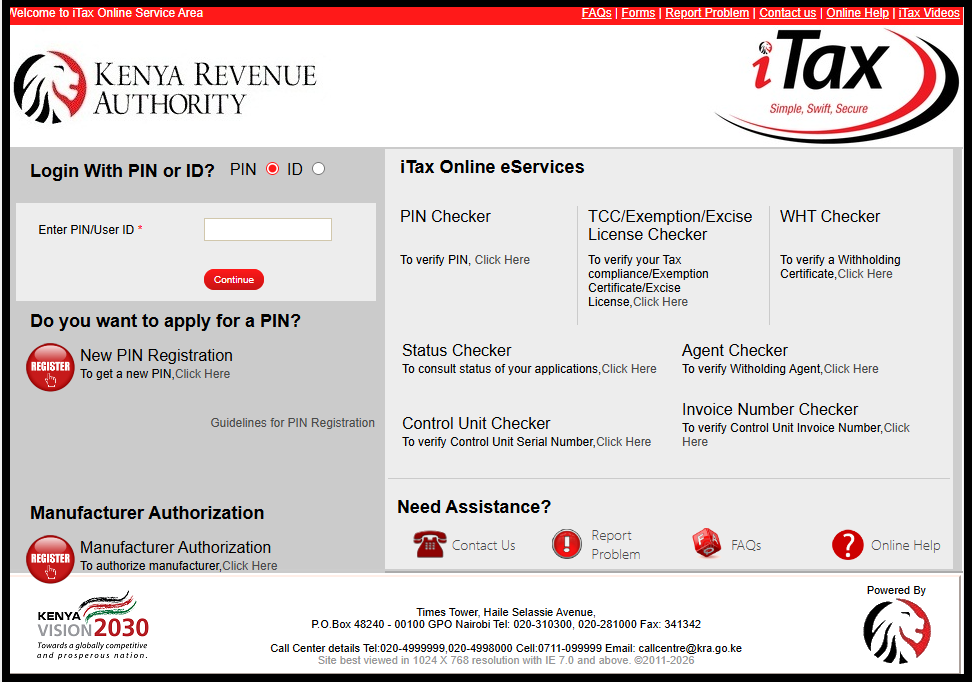
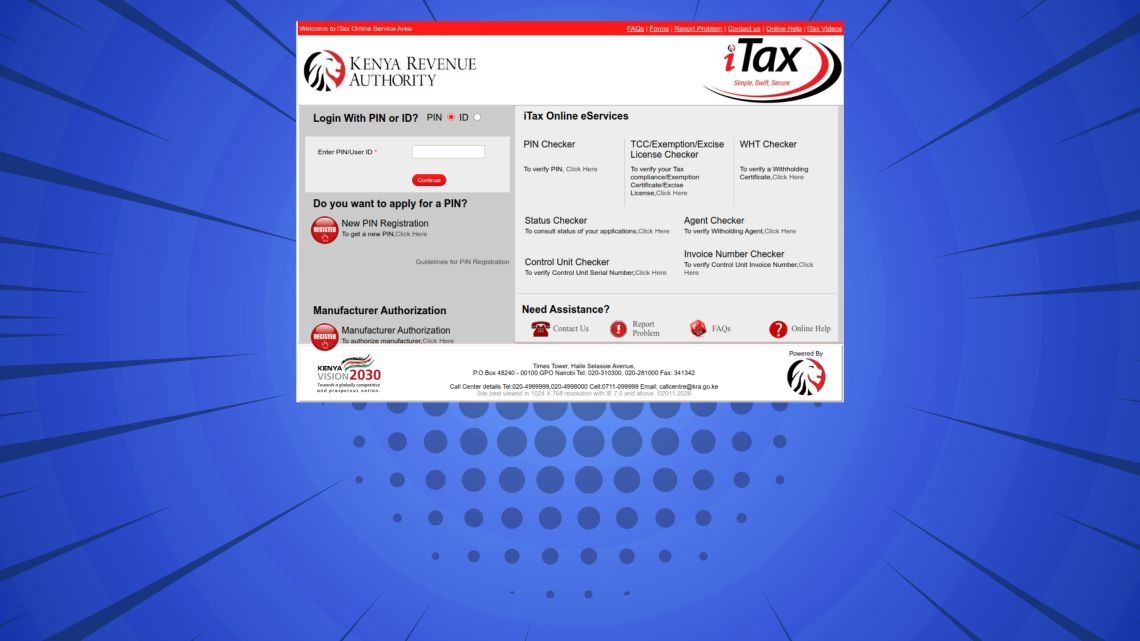
To be able to download a copy of your KRA Tax Compliance Certificate (TCC), the first thing that you need to do is to visit iTax (KRA Portal) using the link – https://itax.kra.go.ke/KRA-Portal/
-
Step 2: Log in to iTax (KRA Portal)
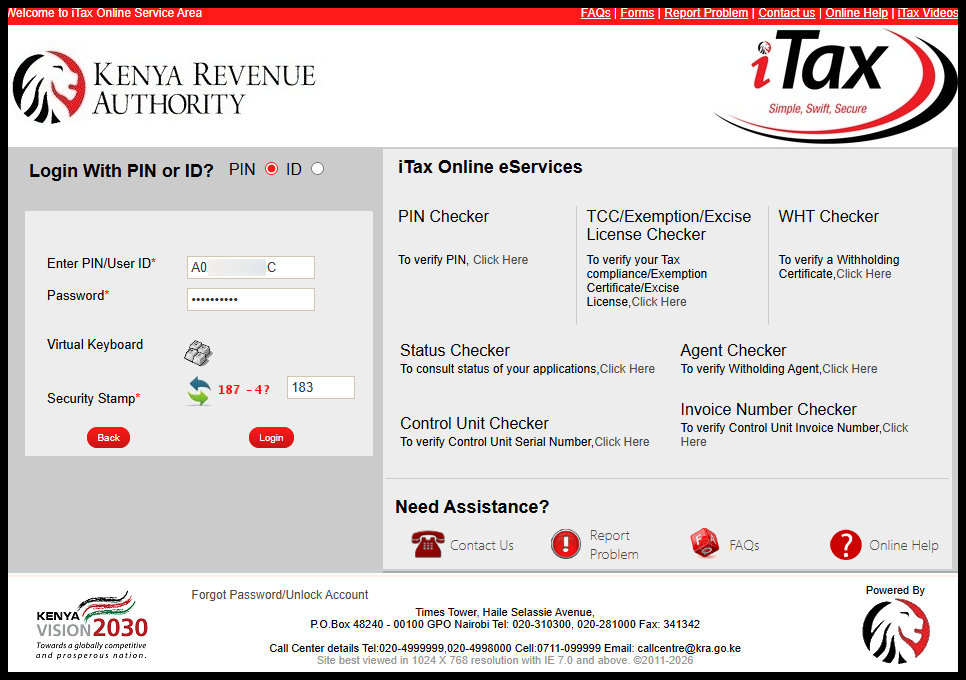
Next, once you are iTax (KRA Portal), enter your KRA PIN Number or National ID Number, click on the “Continue” button, enter iTax Password (KRA Password), solve the arithmetic question and then click on the “Login” button to access your account.
-
Step 3: Click on Certificates then Consult and Reprint TCC
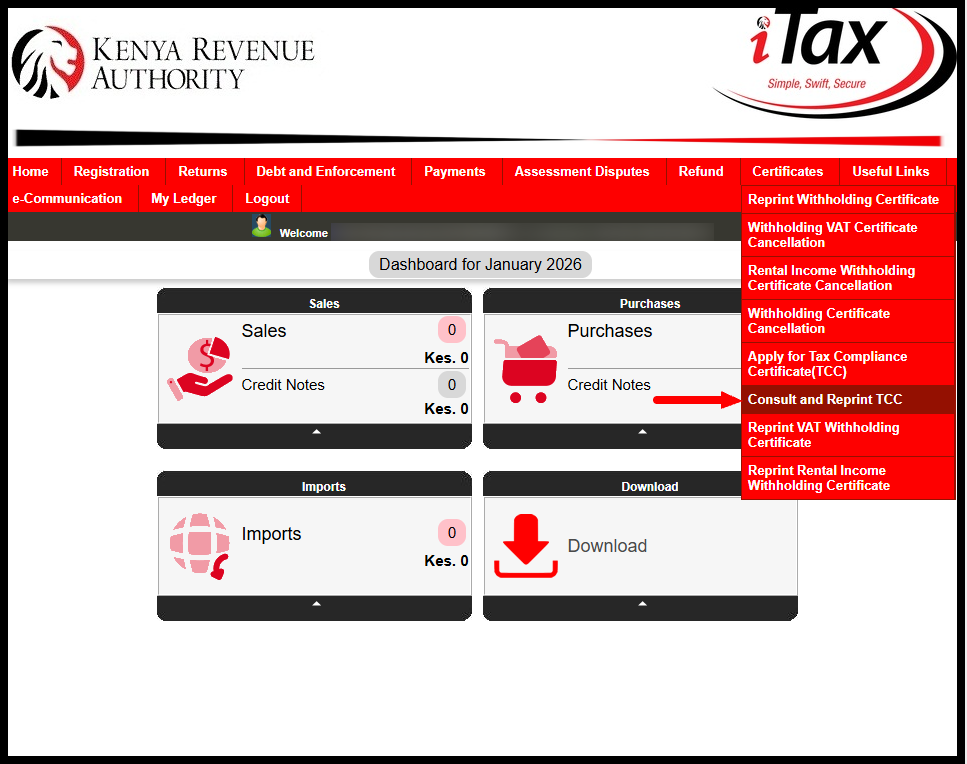
In this step, on the top right menu, click on “Certificates” then from the drop-down menu list, click on “Consult and Reprint TCC” to start the process of reprinting and downloading your Tax Compliance Certificate on iTax (KRA Portal).
-
Step 4: Consult and Reprint Tax Compliance Certificate
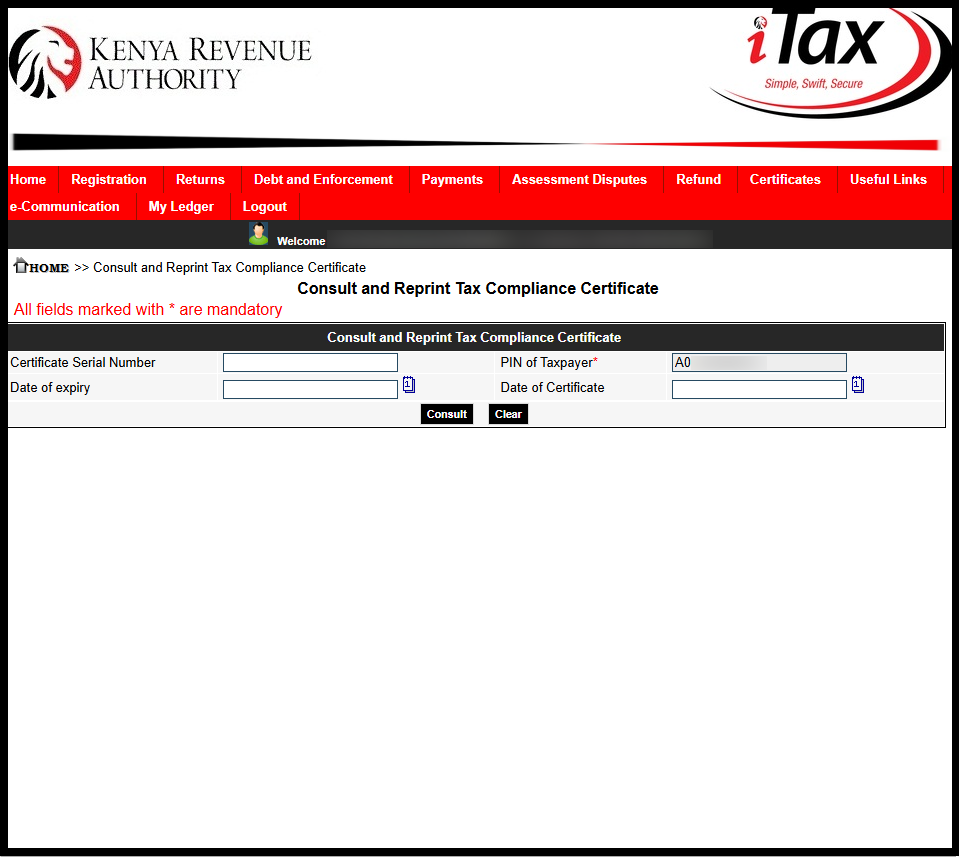
Next, on the “Consult and Reprint Tax Compliance Certificate” form, click on the “Submit” button to initiate download of Tax Compliance Certificate on iTax (KRA Portal). A pop up will appear – “Are you sure you want to consult?” Click on “OK” to proceed.
-
Step 5: Download Tax Compliance Certificate (TCC)
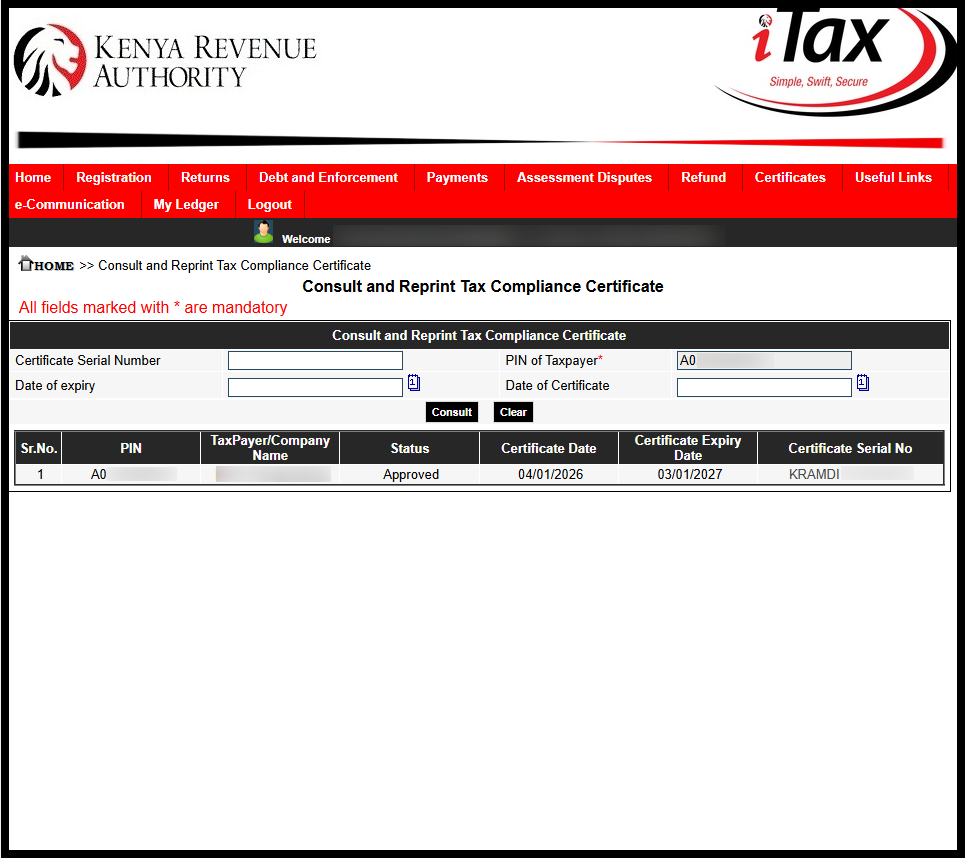
The last step involved the downloading of the Tax Compliance Certificate. To download the same, click on the “Certificate Serial Number” i.e. KRAMDI1**12****6 that will in turn download a copy of the Tax Compliance Certificate to your device.
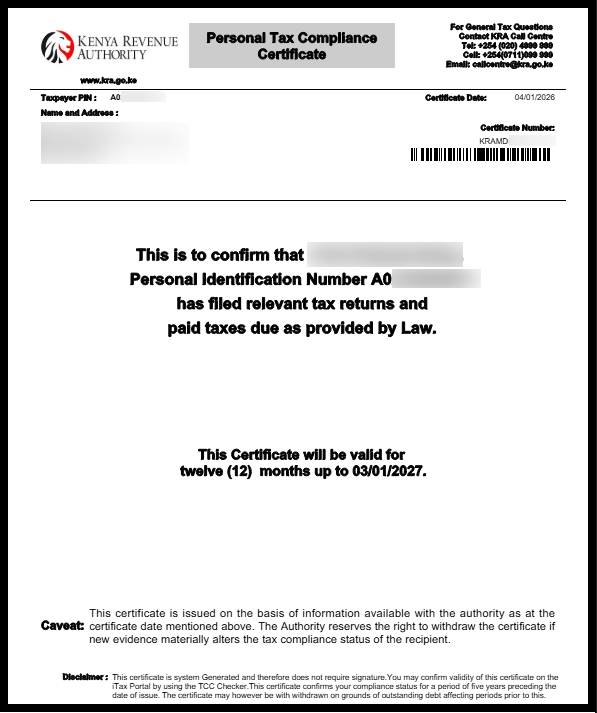
Once you have downloaded your KRA Tax Compliance Certificate (TCC) successfully on iTax (KRA Portal), you can choose to either have a print out of the hard copy or even save a soft copy of the same TCC for easier access anytime that it will be required.
Submit Service Request
Waiting Duration: 5 minutes
You will receive your:
- KRA PIN Number
- KRA PIN Certificate
Via: Email Address and WhatsApp
Once you apply for a Tax Compliance Certificate and it is successfully issued, you do not need to reapply every time you need it. You can always log in to the iTax portal and download a copy of the same TCC whenever it is required, as long as the certificate is still valid. This makes it easy to access the document for future job applications, tenders, or any other official use.
READ ALSO: How To Change Mobile Number on iTax
For the TCC application and download process to be successful, ensure that you have already applied for a KRA PIN and can log in to your iTax (KRA portal) account without any issues. Having active iTax login credentials is essential, as all TCC applications, status checks, and downloads are done exclusively through the iTax system.

Tutorials Kenya publishes clear step-by-step tutorials designed to help Kenyans understand online processes. Our step-by-step tutorials are written in very simple language to make online processes easier for all Kenyans.