Disclaimer
This tutorial on How To Change Email Address on iTax is an independent step-by-step guide by Tutorials Kenya. We are not affiliated with or endorsed by Kenya Revenue Authority (KRA) or any government agency in Kenya. This step-by-step tutorial is for informational and educational purposes only.
Your email address on iTax is the primary means through which the Kenya Revenue Authority (KRA) communicates with you. It is linked to your iTax account and is used to send important notifications, updates, and password reset instructions. This email acts as your official digital contact with KRA, making it an essential part of managing your tax affairs online.
READ ALSO: How To Reset KRA Password
Ensuring your email address on iTax is up to date is crucial. An outdated or incorrect email can cause you to miss important alerts, deadlines, or password reset links, which may lead to delays or complications in filing taxes and accessing iTax services. Keeping your email current ensures smooth communication and helps you stay in control of your tax matters.
Submit Service Request
Waiting Duration: 5 minutes
You will receive your:
- KRA PIN Number
- KRA PIN Certificate
Via: Email Address and WhatsApp
How To Change Email Address on iTax
To successfully change email address on iTax, you need to carefully follow the step-by-step instructions outlined below to ensure the process is completed correctly.
-
Step 1: Visit iTax
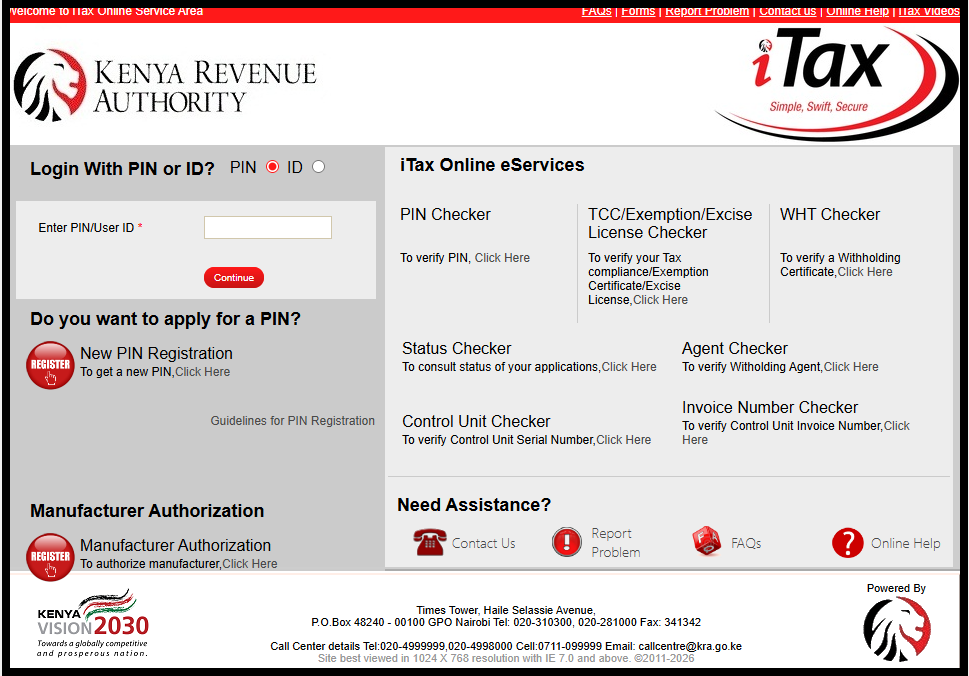
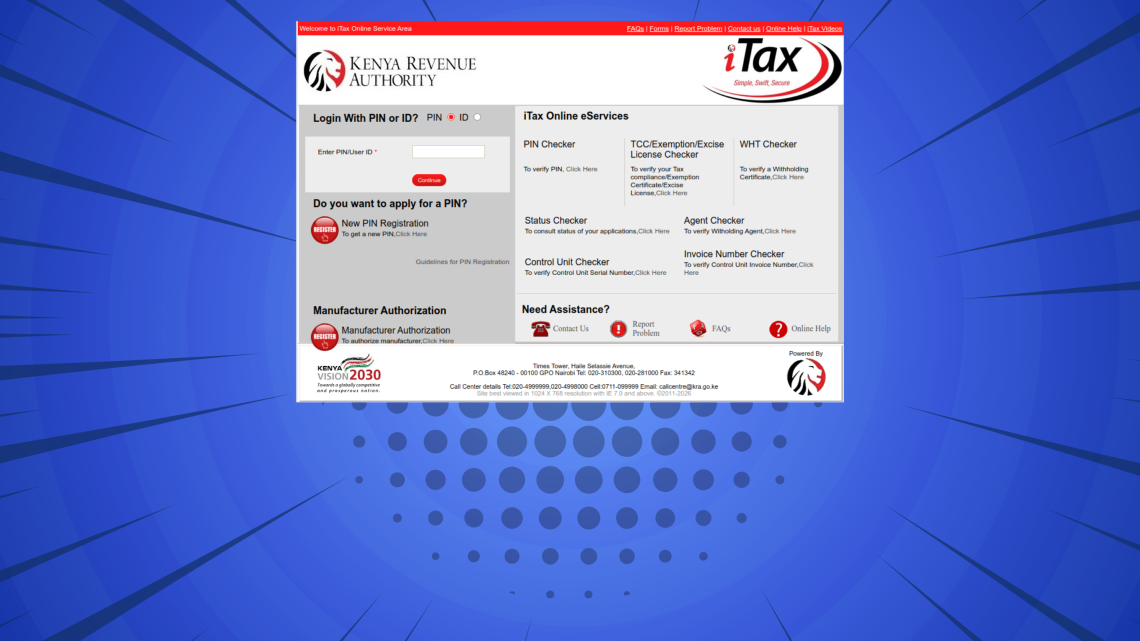
The first step in the process of How To Change Email Address on iTax is to visit iTax using the link https://itax.kra.go.ke/KRA-Portal/
-
Step 2: Log in to iTax
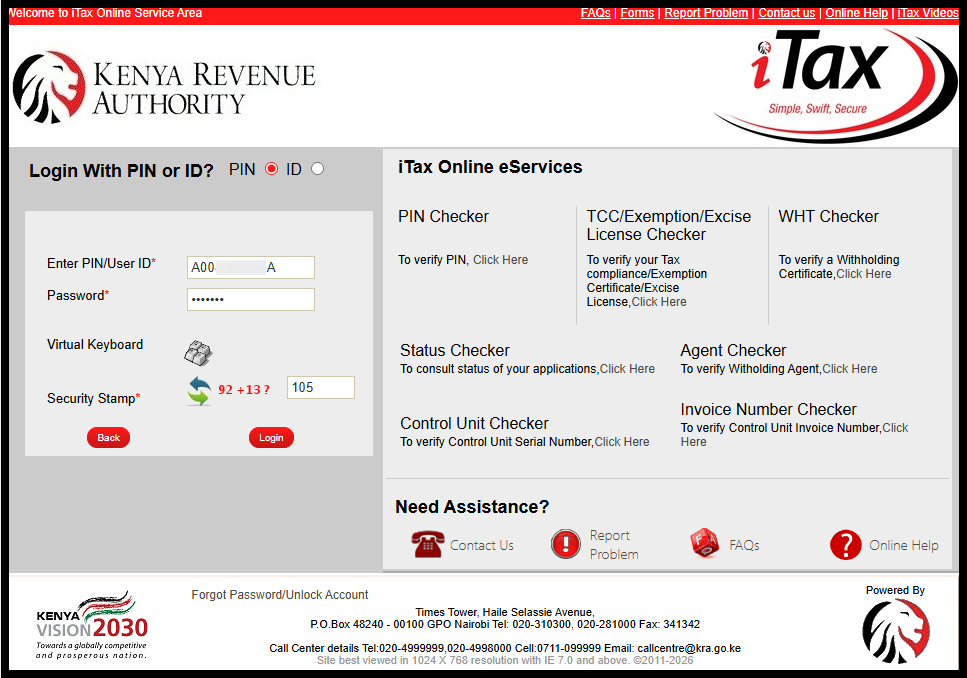
Next, you need to log in to iTax by entering your KRA PIN Number or National ID Number the clicking on “Continue” button, enter iTax Password (KRA Password), solve the arithmetic question (security stamp) and then click on the “Login” button.
-
Step 3: Click on Registration – Amend PIN Details – Update Contact Details
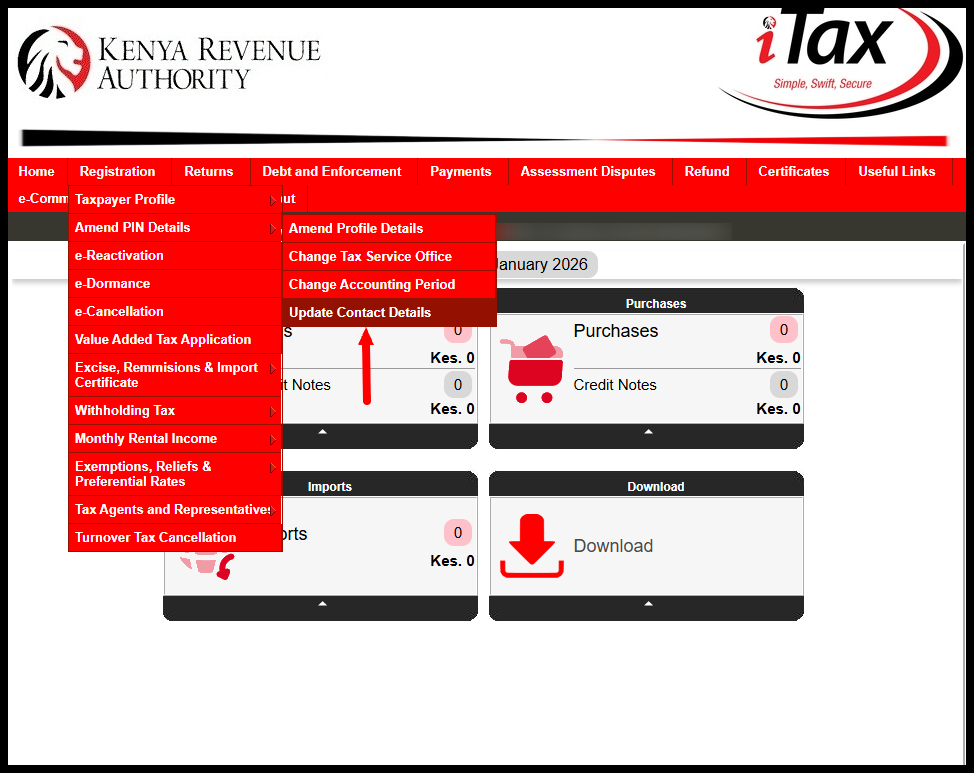
Once you are logged into iTax, click on “Registration” menu, then click on “Amend PIN Details” followed by “Update Contact Details” to begin the process of changing email address on iTax (updating email address on iTax).
-
Step 4: Amend Contact Details
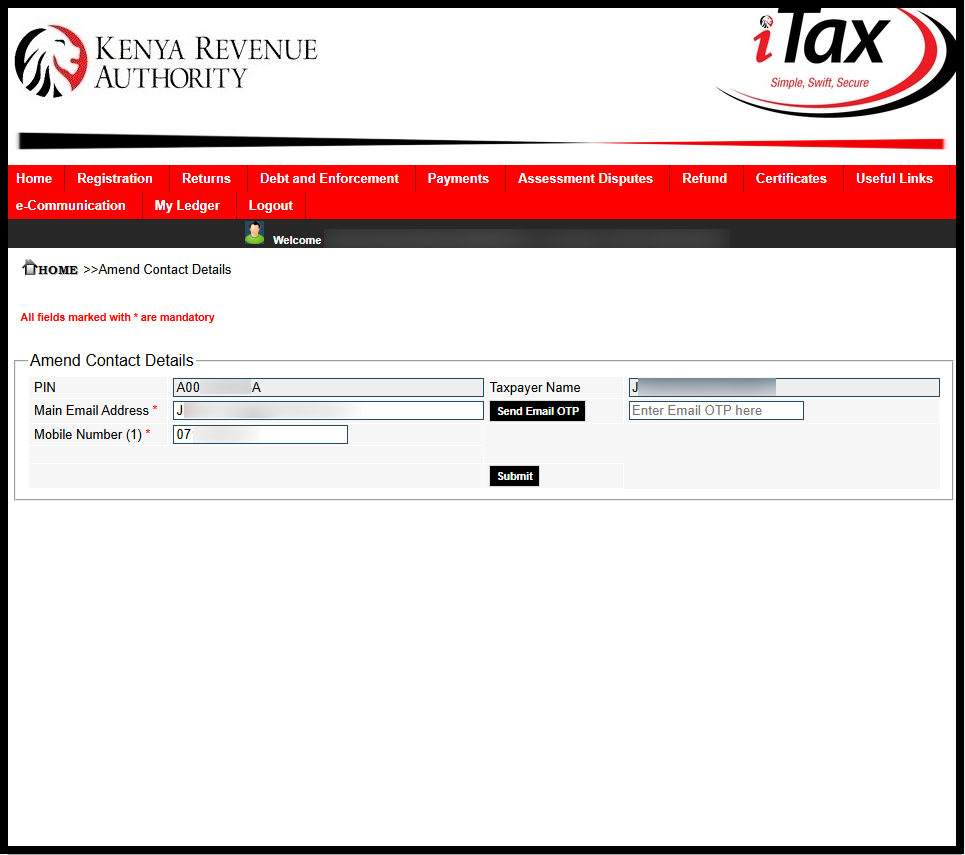
In this step you need to enter your new email address that you want to link to your KRA PIN Number on iTax. Ensure that you are able to access that new email address as Kenya Revenue Authority (KRA) will send an OTP to that email for verification purposes. Once you enter the new email address on iTax, a popup will appear:
In order to continue using iTax functionality you are required to verify your email address.Please click “Send Email OTP” button to receive OTP on mentioned email address.
To proceed, click on the “OK” button.
-
Step 5: Click Send Email OTP
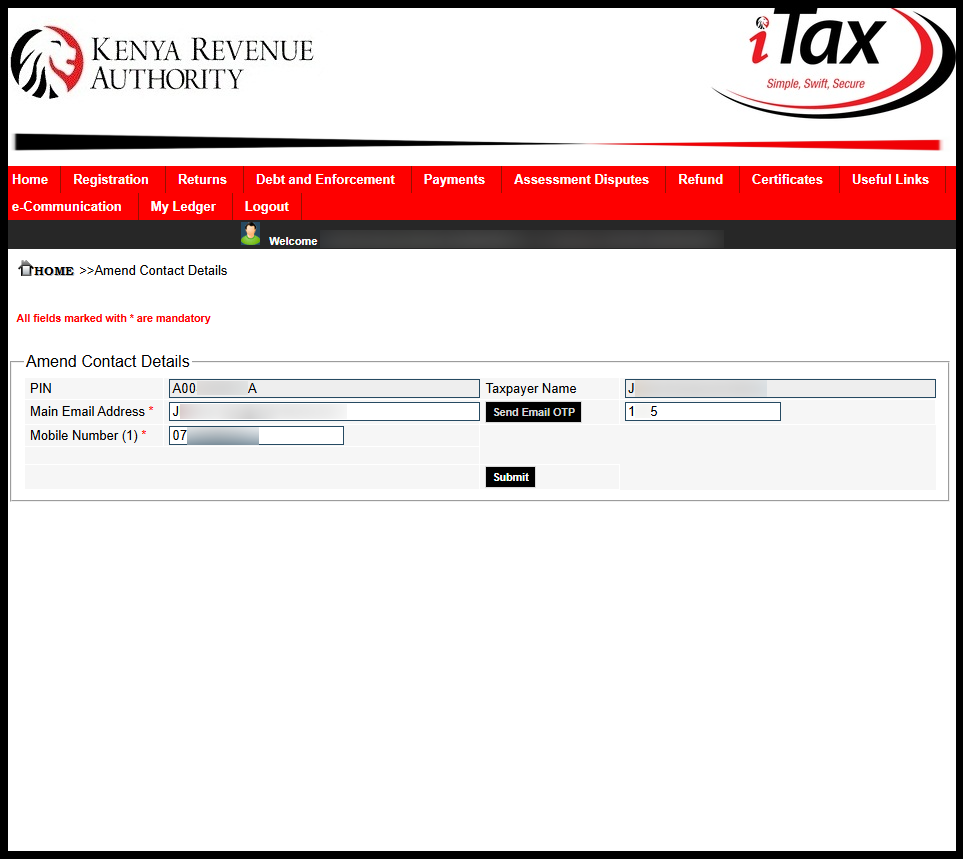
Next, click on the “Send Email OTP” button to receive the OTP verification code from Kenya Revnue Authority (KRA). Check your inbox for the 4 digit KRA OTP code.
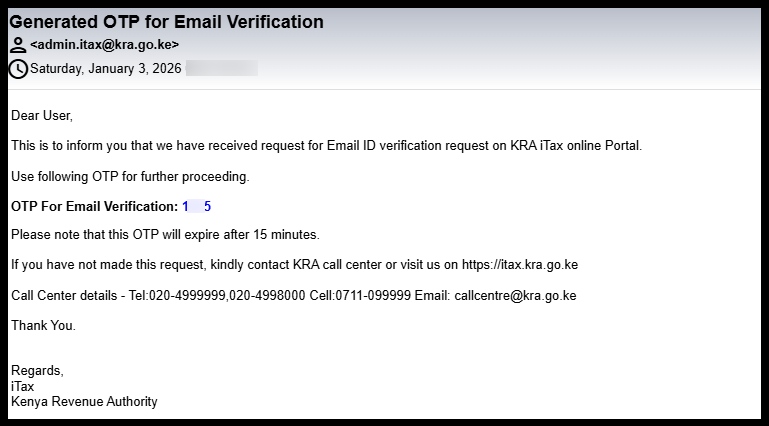
Once you have received the OTP For Email Verification from KRA, enter the same and click on “Submit” button.
-
Step 6: Email Address Changed Successfully
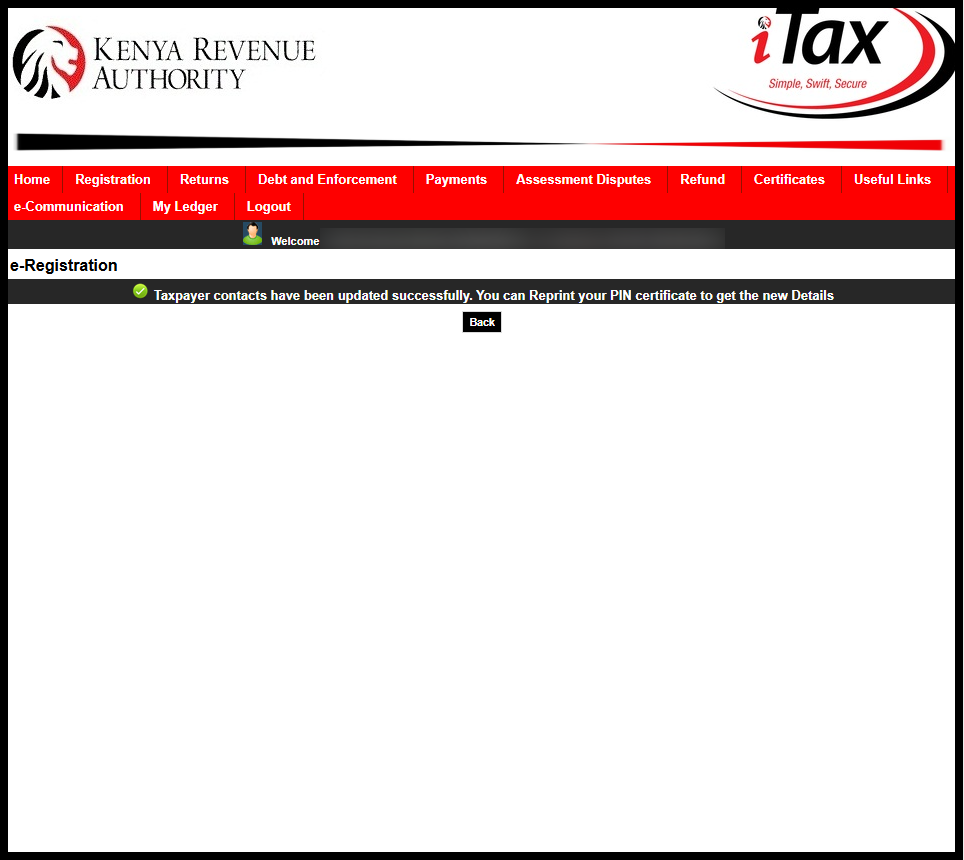
In this last step, once you entered the OTP for Email Verification on iTax, you will see the notification – “Taxpayer contacts have been updated successfully. You can Reprint your PIN certificate to get the new Details.” This confirms that you have successfully changed and updated the email address on iTax.
Submit Service Request
Waiting Duration: 5 minutes
You will receive your:
- KRA PIN Number
- KRA PIN Certificate
Via: Email Address and WhatsApp
Changing your email address on iTax is a quick process when you follow the correct steps. Start by visiting the iTax portal and logging in with your KRA password. Once logged in, navigate to Registration → Amend PIN Details → Update Contact Details to access your current email information.
READ ALSO: How To Reset iTax Password
Next, amend your email address and click Send Email OTP to verify the change. Once the OTP is confirmed, your new email address will be updated successfully. Following these steps ensures your iTax account stays current, allowing you to receive all important notifications without any interruptions.

Tutorials Kenya publishes clear step-by-step tutorials designed to help Kenyans understand online processes. Our step-by-step tutorials are written in very simple language to make online processes easier for all Kenyans.